![Group 1261151152.png]](https://support.warmy.io/hs-fs/hubfs/Group%201261151152.png?width=50&height=50&name=Group%201261151152.png)
🎧 Prefer to listen? Hit play to hear this article read aloud. 🔊
What is BIMI?
BIMI stands for Brand Indicators for Message Identification.
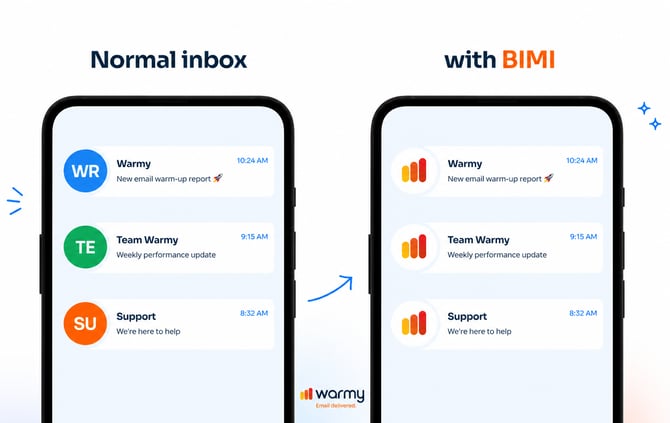
In simple terms, it’s what allows your brand logo to appear next to your emails in inboxes like Gmail, Yahoo, and Apple Mail.
That means instead of a generic avatar, your recipients see your verified logo—instantly building trust before they even open your email.
What BIMI looks like:
How BIMI improves deliverability
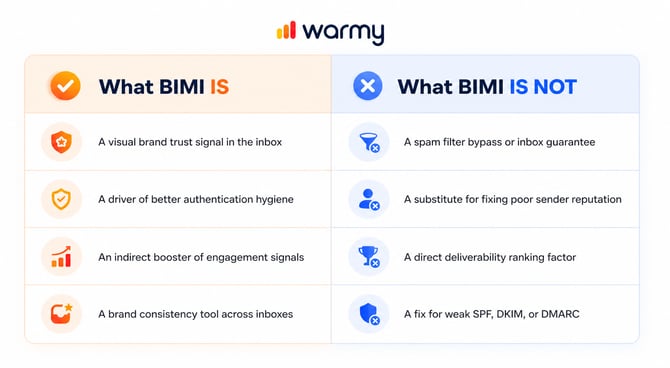
BIMI does NOT directly improve deliverability. It does not increase your sender score, override spam filters, or guarantee inbox placement.
BIMI's relationship with deliverability is indirect. It strengthens the signals that mailbox providers use to evaluate inbox placement:
BIMI → Trust & Recognition → Better Engagement → Sender Reputation → Inbox Placement
Here’s how that plays out:
- Stronger authentication: To use BIMI, you must properly configure DMARC, which already improves your email security and legitimacy.
- Higher visibility & trust: Your logo makes your emails instantly recognizable in crowded inboxes.
- Better engagement: More opens, clicks, and replies — because users trust what they see.
- Fewer spam complaints: People are less likely to mark your emails as spam when they recognize your brand.
- Better inbox placement over time: All of the above signals improve your sender reputation — which helps you land in the inbox more often.
How BIMI works (requirements)
To enable BIMI, your domain must meet a few key requirements:
1. Set up SPF and/or DKIM
These authenticate your emails and prove they are sent from your domain.
2. Enforce DMARC
Your DMARC policy must be set to:
-
p=quarantine or
-
p=reject
⚠️ If your DMARC is set to p=none, BIMI will NOT work.
3. Get a certificate (VMC or CMC)
You need a certificate that proves you own your logo:
- VMC (Verified Mark Certificate)
→ Requires a registered trademark - CMC (Common Mark Certificate)
→ No trademark needed, easier to obtain
Both display the same logo in inboxes, while VMC also displays a verified checkmark: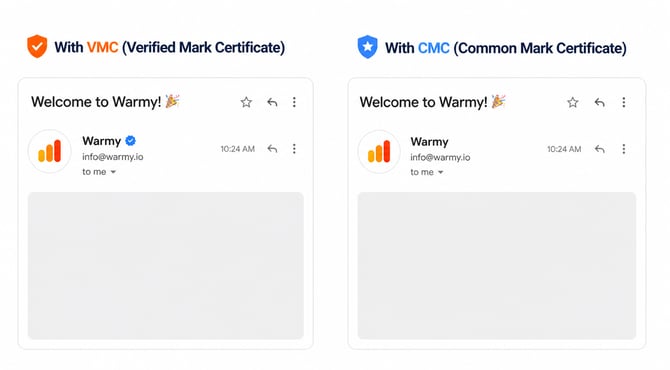
4. Prepare your logo (SVG format)
Your logo must:
- Be SVG Tiny PS 1.2 format
- Be square (1:1 ratio)
- Be hosted over HTTPS
- Be under 32KB
5. Publish your BIMI DNS record
You’ll add a TXT record like this:
default._bimi.yourdomain.com
v=BIMI1; l=https://yourdomain.com/logo.svg; a=https://yourdomain.com/cert.pem
This tells inbox providers where to find your logo and certificate.
Final takeaway
BIMI is not a shortcut to the inbox. It is a powerful trust and authentication layer that, when properly implemented, amplifies strong email fundamentals into better engagement, stronger sender reputation, and improved long-term deliverability.