

Skip to content
One-on-one deliverability consultationBook
Book a support call
  • There are no suggestions because the search field is empty.

How to configure Yahoo?

Follow the instruction below to connect Yahoo: ๐ŸŽง Prefer to listen? Hit play to hear this article read aloud.


Yahoo logo for the guide on connecting a Yahoo mailbox to Warmy


Step 1

In order to connect your mailbox to Warmy, you first need to generate an application password.
To do this, go to your mailbox account.
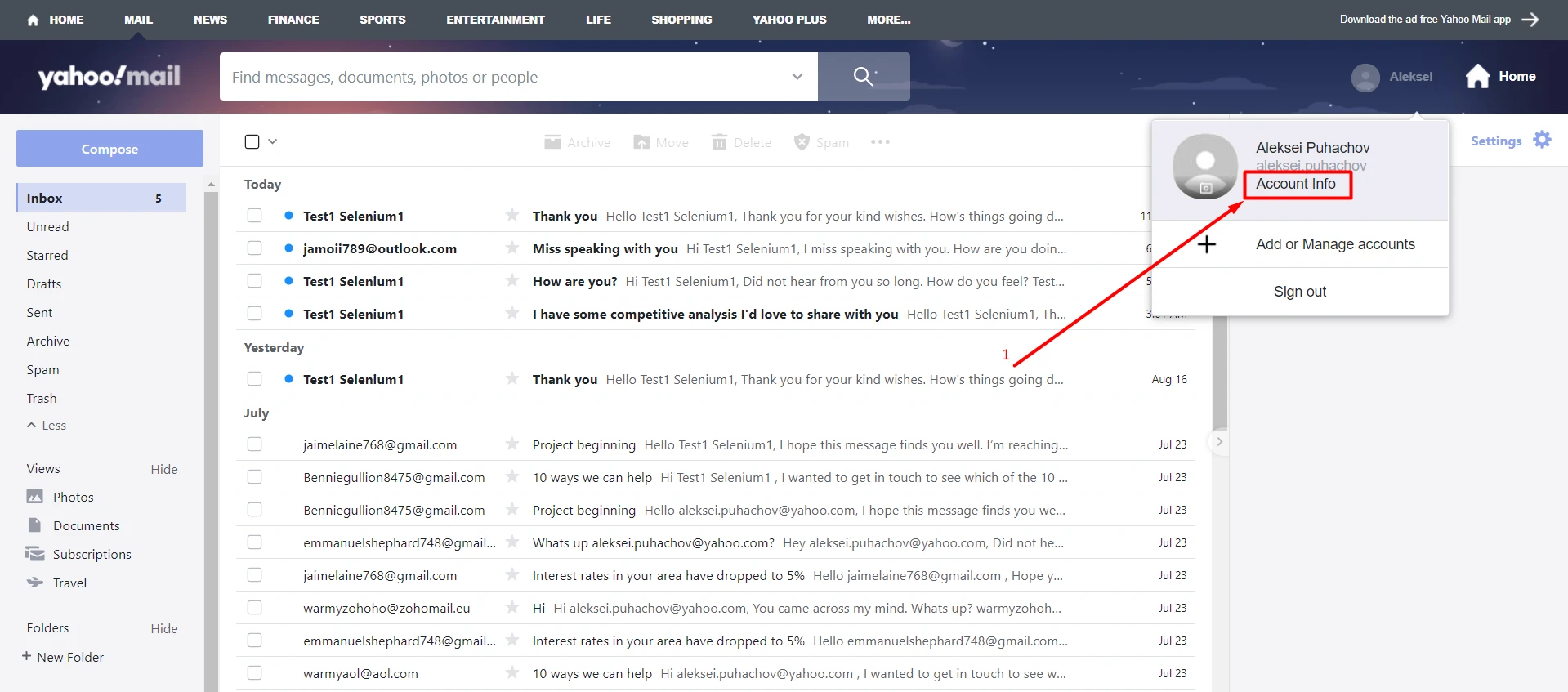
Yahoo Mail account menu with the Account Info link highlighted as the first step

Step 2

Next, go to the Security tab and select "Generate Application Password."
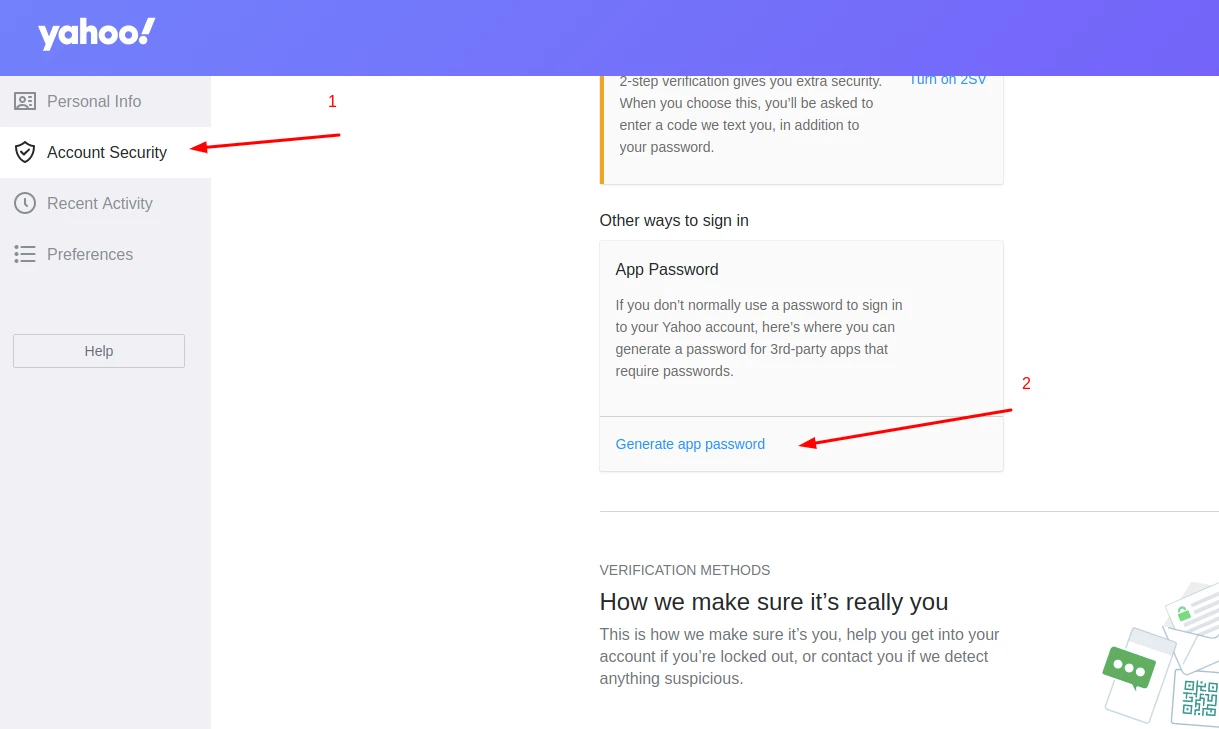
Yahoo Account Security page with the Generate app password link under App Password highlighted

Step 3

Generate an app password and save it.
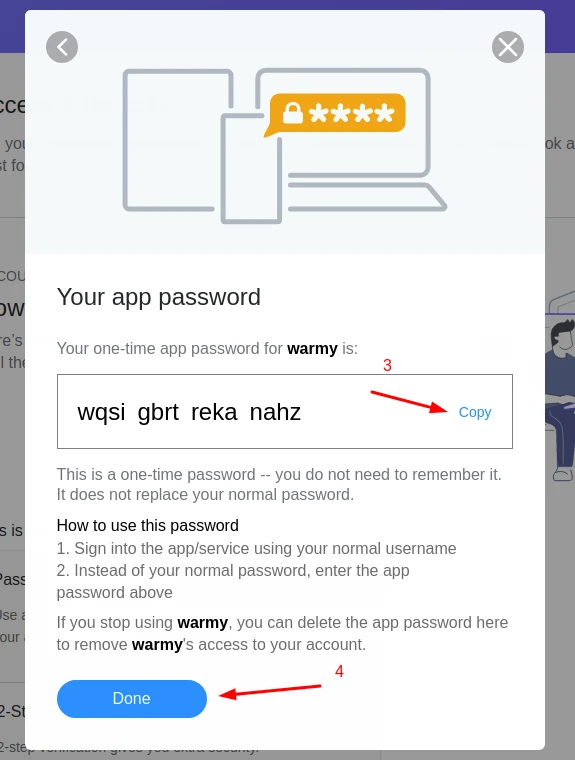
Yahoo one-time app password dialog for Warmy with the Copy link and Done button marked

Use this password to connect your mailbox to Warmy.
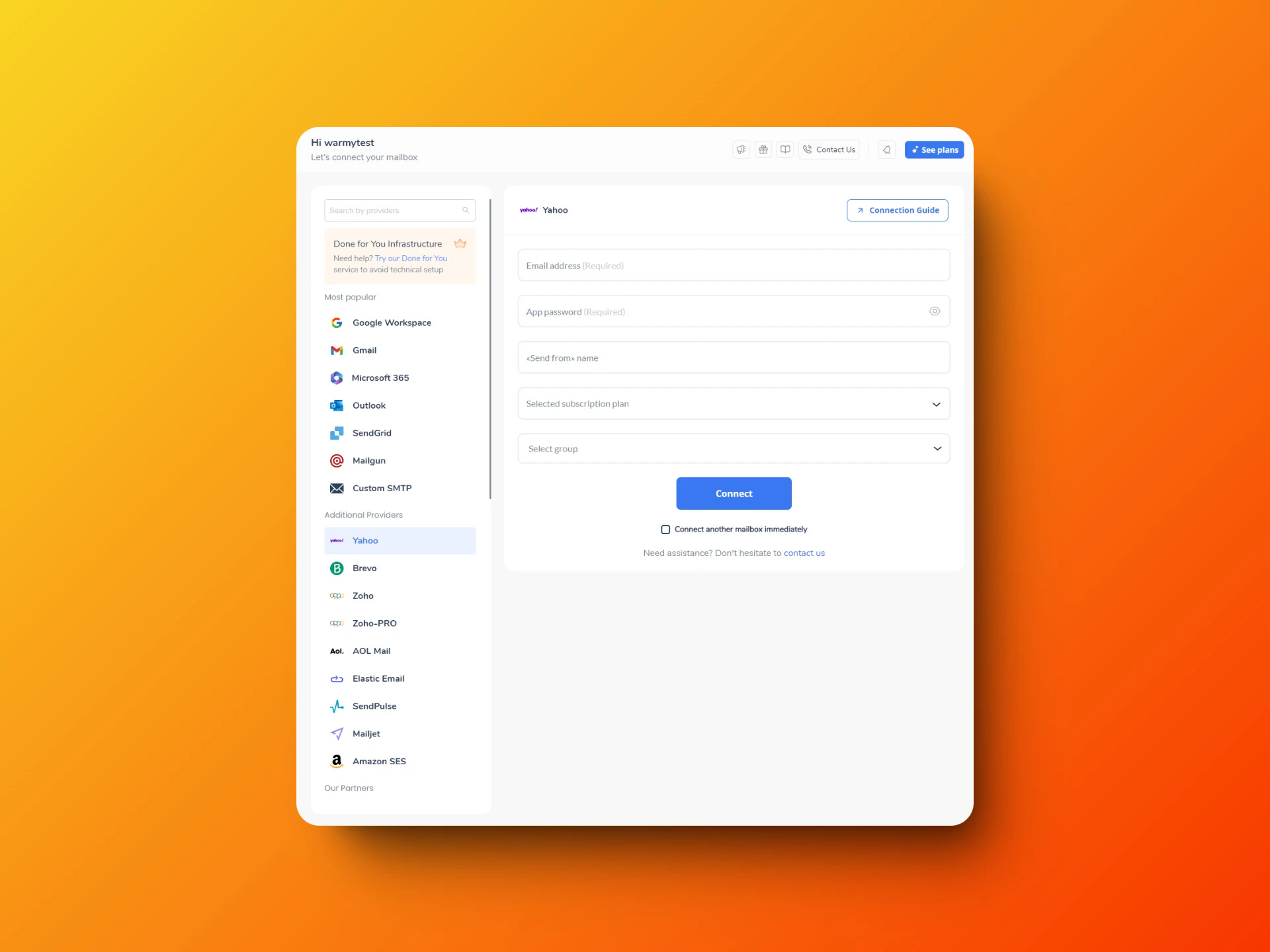
Warmy Mailbox Connection form for Yahoo with Email address and App password fields and Connect button