![Group 1261151152.png]](https://support.warmy.io/hs-fs/hubfs/Group%201261151152.png?width=50&height=50&name=Group%201261151152.png)
🎧 Prefer to listen? Hit play to hear this article read aloud. 🔊
❌ SPF: Not Supported
✅ DKIM: Supported
Hubspot – DKIM Record Configuration
Step 1- Connect Your Domain to HubSpot
- Log in to your HubSpot account.
- Click the Settings icon in the top navigation bar.
- In the left sidebar, navigate to Tools/Content → Domains & URLs.
- Follow the prompts to connect your domain.
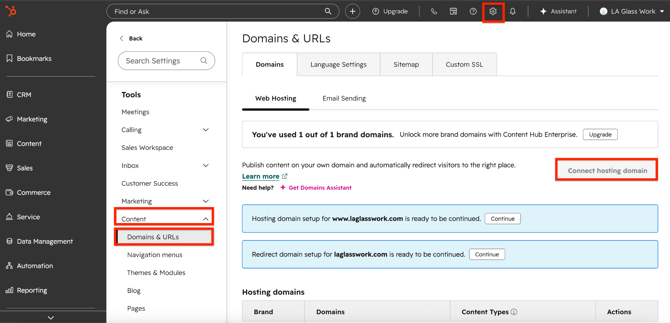
Step 2 - Configure Your Email Sending Domain
- Once your domain is connected, click the Email Sending tab (located next to Web Hosting).
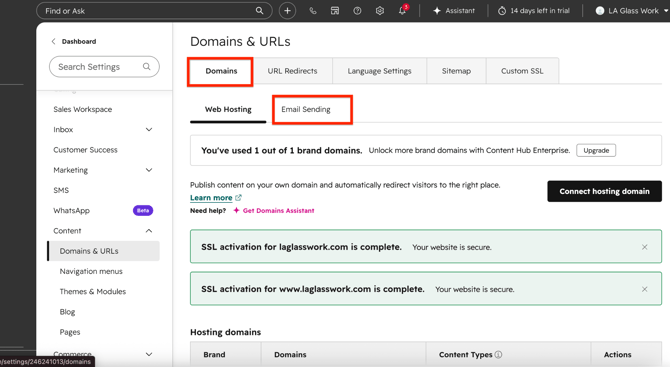
2. Click Connect Sending Domain to begin the DKIM setup.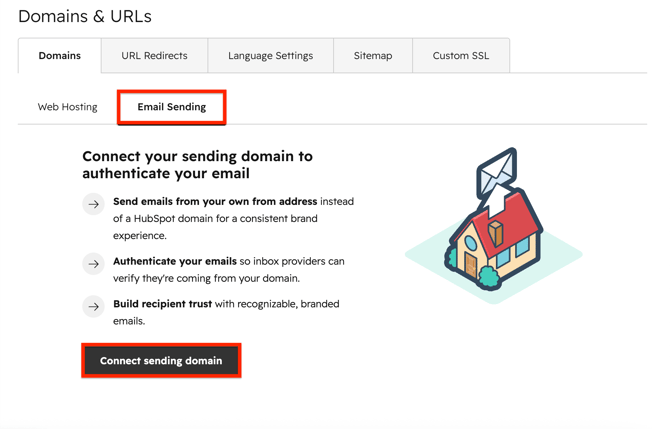
3. Enter the email address you'll use to send emails from HubSpot.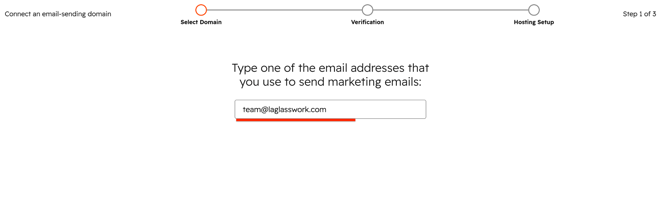
Step 3 - Add the DKIM Records to Your DNS
- HubSpot will generate two DKIM CNAME records. Copy the Host and Value for each record.
- Go to your domain's DNS management panel and create two new CNAME records using the names and values provided by HubSpot.
Note: DNS changes can take anywhere from a few minutes to 48 hours to propagate.
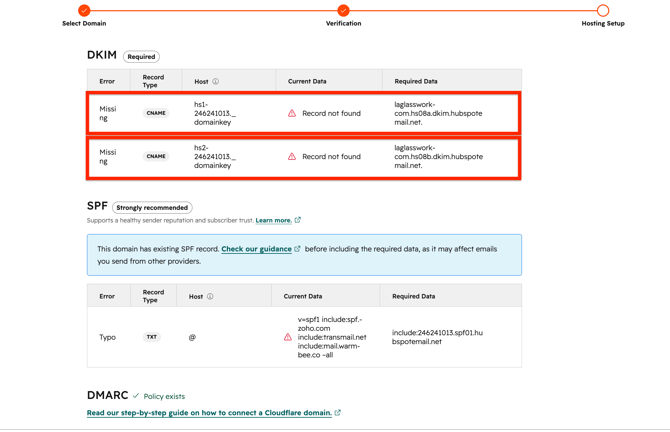
Step 4 - Verify Your DKIM Configuration
- Return to the DKIM settings page in HubSpot and click Verify.
HubSpot will check that the CNAME records are correctly published and active.
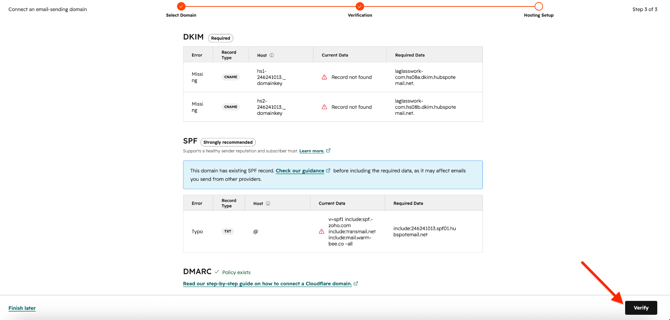
Once verification is successful, you'll see "CONNECTED" with a checkmark next to DKIM, confirming that your domain is fully authenticated and ready to send.
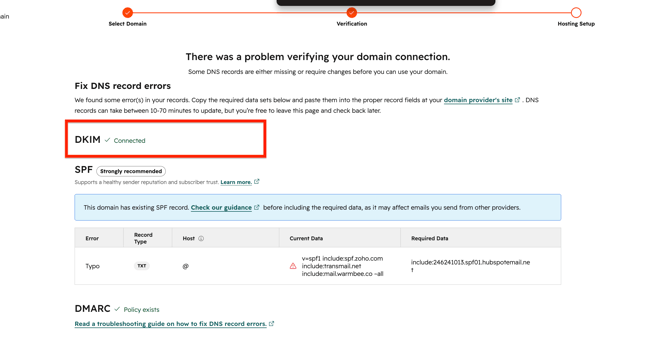
HubSpot – SPF Record Configuration
HubSpot's approach to SPF alignment has evolved over time. For years, HubSpot did not support SPF alignment at all. More recently, they introduced SPF support, but only for accounts using a dedicated IP address.
If you're on a shared IP pool, you do not need to configure an SPF record for HubSpot. You can safely ignore the SPF entry (include:246241013.spf01.hubspotemail.net) that HubSpot provides alongside your DKIM records, there is no need to add it to your DNS.
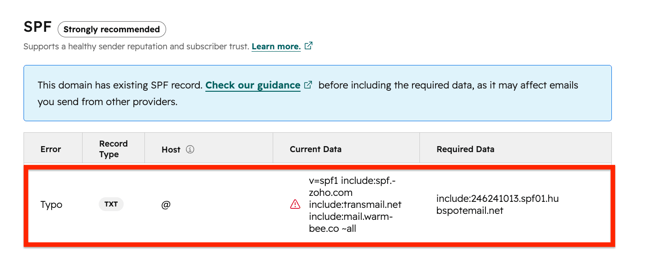
If you're using a dedicated IP, you should add HubSpot to your SPF record to ensure proper email authentication.
Quick reference:
|
IP Setup |
Add HubSpot to SPF? |
|
Shared IP |
❌ Not required |
|
Dedicated IP |
✅ Required |