![Group 1261151152.png]](https://support.warmy.io/hs-fs/hubfs/Group%201261151152.png?width=50&height=50&name=Group%201261151152.png)
🎧 Prefer to listen? Hit play to hear this article read aloud.
A domain only needs an MX record if it is meant to receive email. If a domain has no MX record, sending servers will fall back to its A/AAAA record and try to deliver there (this is known as the implicit MX), but an explicit MX record is the correct and predictable setup for any domain that handles mail. Parked or redirect-only domains often have no MX record at all, and that is fine. If you manage multiple mail domains, each one needs its own MX record.
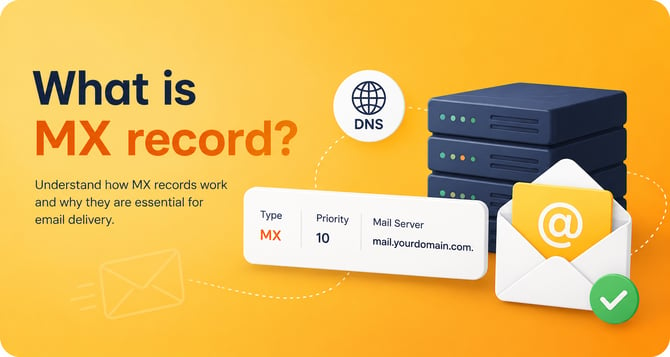
Every MX record contains two pieces of information:
The hostname of a mail server (for example, aspmx.l.google.com)
A preference value, a number that sets the priority when more than one mail server exists.
Why do I need to configure DNS MX records?
MX stands for Mail eXchanger. It is the record a domain owner publishes to tell other servers where to deliver email addressed to that domain. When someone sends a message to you@yourdomain.com, their mail server looks up your domain's MX record to find out where to deliver it. The hostname in an MX record must point to a host that has an A/AAAA record, and it must never be a CNAME or a raw IP address.
Note: MX records control where your domain receives mail. They do not authenticate or protect outgoing mail. Preventing spoofing and managing how your domain sends email is handled by SPF, DKIM, and DMARC, not by MX records.
MX records and your email provider
If you use a hosted service such as Google Workspace or Microsoft 365, the provider gives you MX records to publish in your DNS. Every one of these records points to the provider's servers, because their servers receive mail on your behalf. None of them point back to your own server, and none of them have anything to do with sending. There is no such thing as a "sending" MX record. If a guide tells you to create one pointing to your own server, that instruction is wrong and can break your incoming mail.
Outbound mail is a completely separate mechanism, controlled and authenticated by SPF (which declares which servers may send for your domain), DKIM (which signs your outgoing mail), and DMARC (which ties them together and tells receivers what to do on failure).
MX preferences and priorities
A domain can have more than one MX record, which is how you build redundancy. The preference value decides the order in which sending servers try them. The rule is simple but counterintuitive: a lower number means higher priority. Sending servers try the lowest numbered MX first and only move on to the next if it is unreachable. Preference values can range from 0 to 65535.
For example:
yourdomain.com. MX 10 primary-mail.yourdomain.com.
yourdomain.com. MX 20 backup-mail.yourdomain.com.
Here, primary-mail (preference 10) is tried first, and backup-mail (preference 20) only receives mail if the primary is unavailable. If two records share the same preference value, they are treated as equals and mail is spread across them to balance the load. There is no separate tiebreaker where "the lowest one wins."
How are MX records queried?
MX lookups are ordinary DNS queries. When a message is sent, it is the sending mail server (MTA) that queries the recipient's DNS for the recipient's MX records, because MX tells you where to deliver incoming mail. The sender's own MX plays no role in this. The flow looks like this:
1. The sending MTA has a message for user@recipient.com.
2. It queries DNS for the MX records of recipient.com.
3. DNS returns one or more mail server hostnames with their preference values
4. The MTA resolves the lowest preference hostname to an IP address using its A/AAAA record.
It opens an SMTP connection and delivers the message, falling back to higher preference hosts if needed.
How to look up and verify your DNS MX records
It is a good idea to monitor your MX records as part of routine deliverability hygiene, especially after any DNS or provider change. You can check them from the command line or with a web-based tool:
- Linux / macOS: dig MX yourdomain.com +short
- Windows: nslookup -type=mx yourdomain.com
- Web: MXToolbox or Google Admin Toolbox Dig
Each time you check, confirm that the MX targets are the correct hostnames for your current provider, that the preference values reflect the primary and backup order you intend, that no MX target resolves to a CNAME, and that stale records from a previous provider have been removed.