Skip to content
One-on-one deliverability consultationBook
Book a support call
  • There are no suggestions because the search field is empty.

Where to Apply a Coupon/Promo Code?

To apply a coupon/promo code to your purchase, follow these steps:

๐ŸŽง Prefer to listen? Hit play to hear this article read aloud.


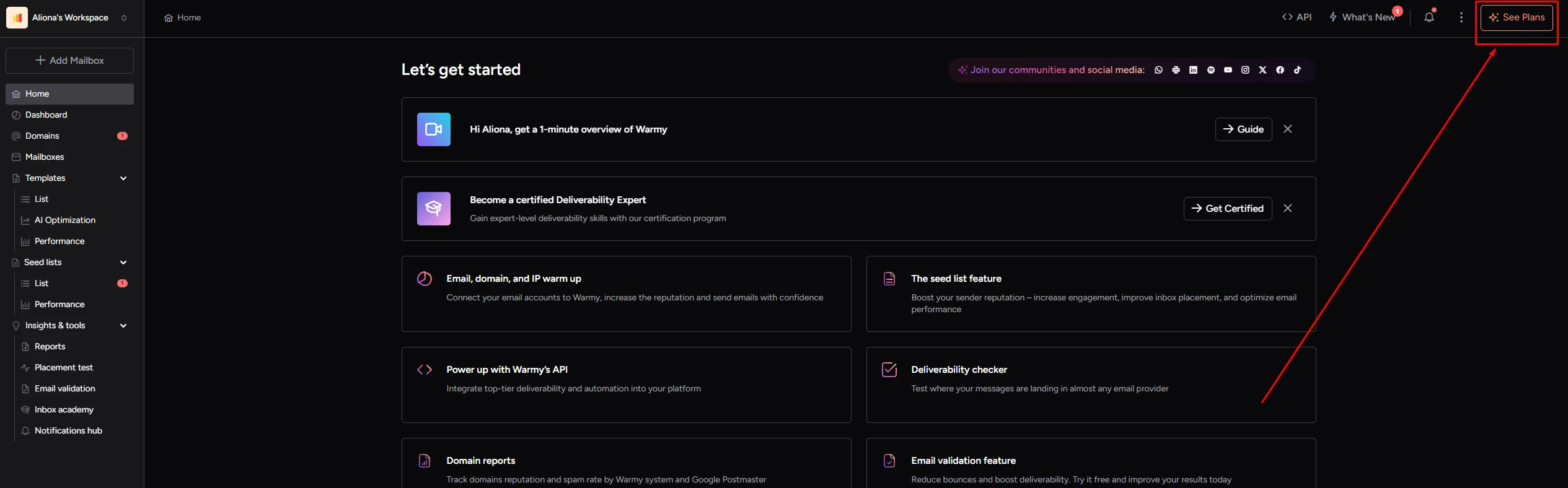
  1. Go to the "See plans" tab
    Warmy Home screen with the See Plans button highlighted in the top right corner
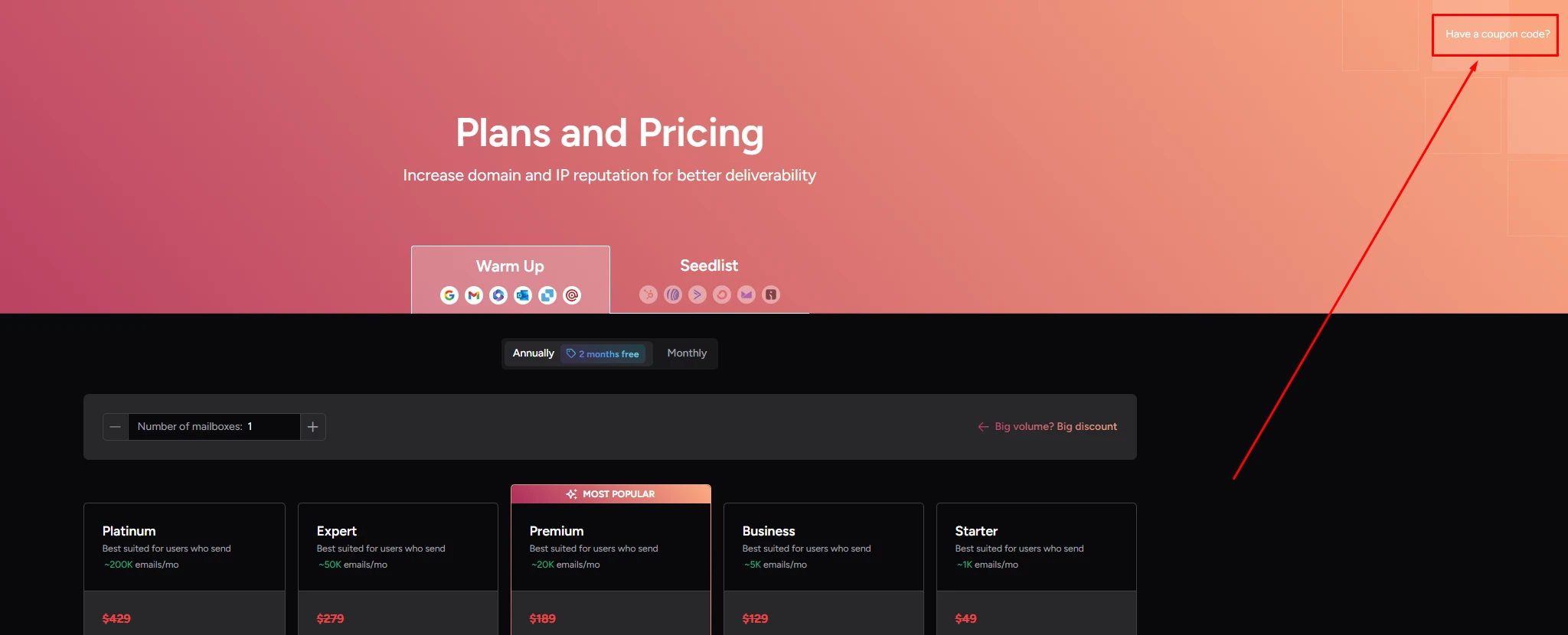
  2. Find a "Have a coupon code?" section.
    Warmy Plans and Pricing page with the Have a coupon code link highlighted in the top right corner
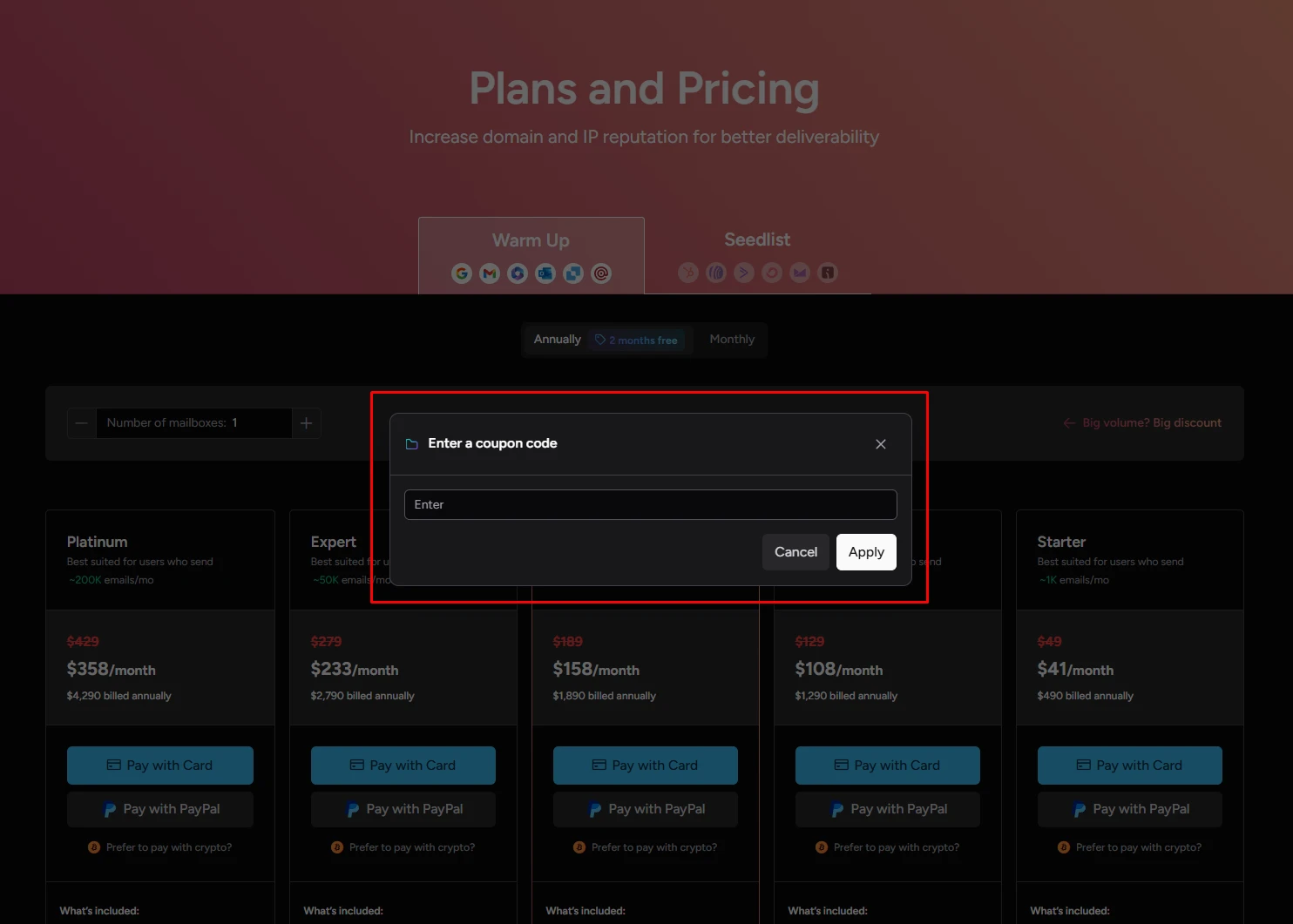
  3. Use your coupon. Enter your coupon code in the field provided and then click Apply.         The discount will be applied to your total purchase amount.Warmy Enter a coupon code dialog on the Plans and Pricing page with the Enter field and Apply button
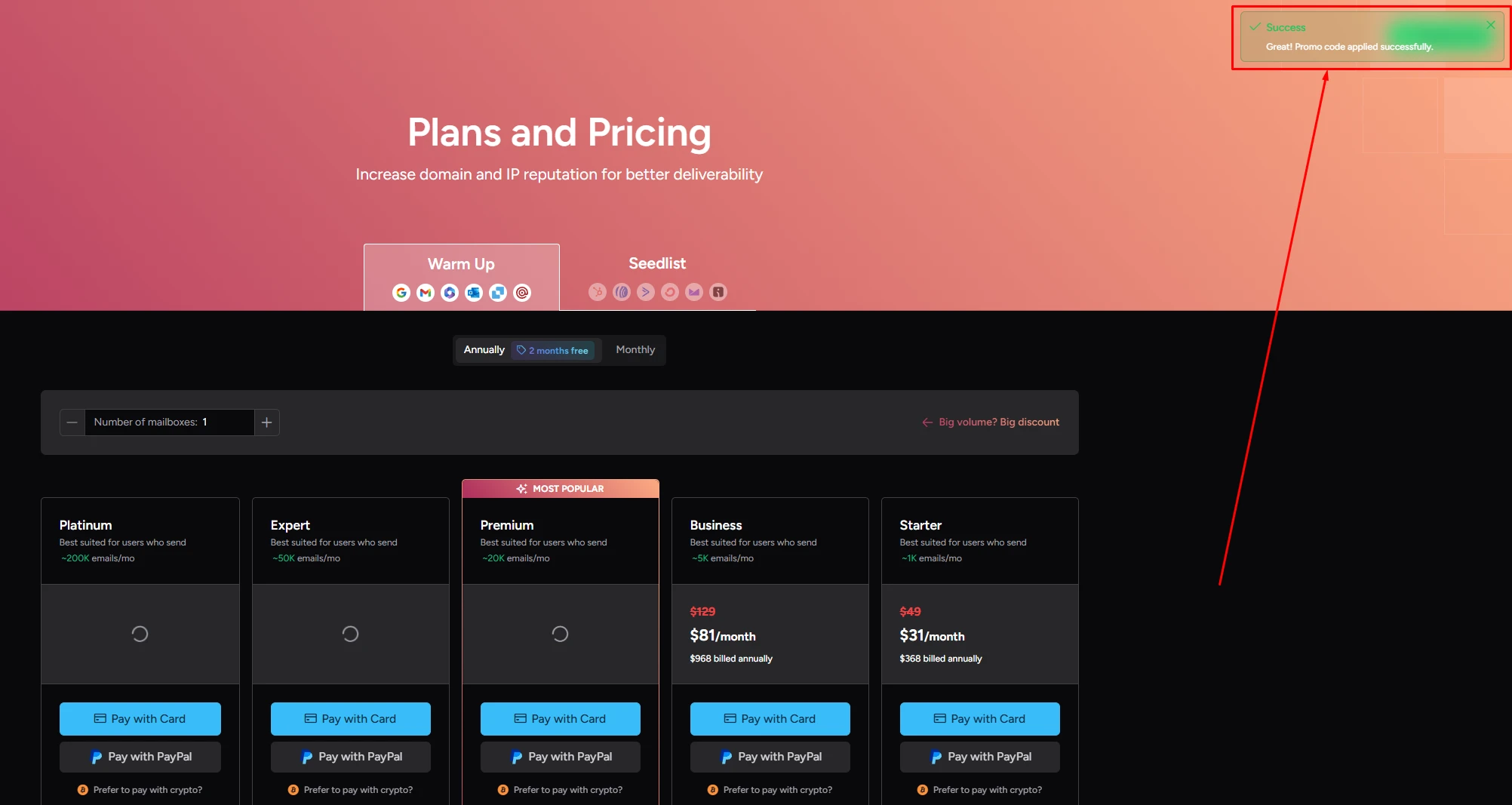
  4. 4.  Now you can see that it was applied and prices have changed ๐Ÿ˜ŠWarmy Plans and Pricing page with a Promo code applied successfully message and updated Business and Starter prices