---
title: "Why you get \"unreceived\" in your deliverability test or don't get results at all 🕵️"
description: If you're getting "unreceived" in your deliverability test or not getting results at all, it's likely because you're not sending your test emails correctly.
---
[Skip to content](https://support.warmy.io/knowledge/why-you-get-unreceived-in-your-deliverability-test-or-dont-get-results-at-all#main-content)
English
Show submenu for translations
![Group 1261151152.png\]](https://support.warmy.io/hs-fs/hubfs/Group%201261151152.png?width=50&height=50&name=Group%201261151152.png)
Open main navigation
Close main navigation
- English
Show submenu for translations
- [Go to warmy.io](https://www.warmy.io/)
[Go to warmy.io](https://www.warmy.io/)
Hey there Warmer! How can we help? 🙏
- There are no suggestions because the search field is empty.
1. [Help Center](https://support.warmy.io/knowledge?hsLang=en)
2. [Technical questions](https://support.warmy.io/knowledge/technical-questions?hsLang=en)
# Why you get "unreceived" in your deliverability test or don't get results at all 🕵️
## If you're getting "unreceived" in your deliverability test or not getting results at all, it's likely because you're not sending your test emails correctly.
🎧 Prefer to listen? Hit play to hear this article read aloud. 🔊
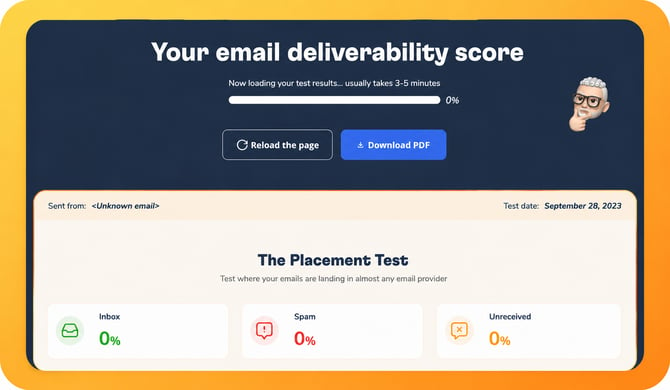
### **Why You're Seeing "Unreceived" in Your Deliverability Test**
### 
### **Common Mistakes to Avoid**
**Not including the seed email address:** The seed email address is a unique email address that identifies you as the sender of the test email. It allows email service providers (ESPs) to track your test and generate accurate deliverability results.
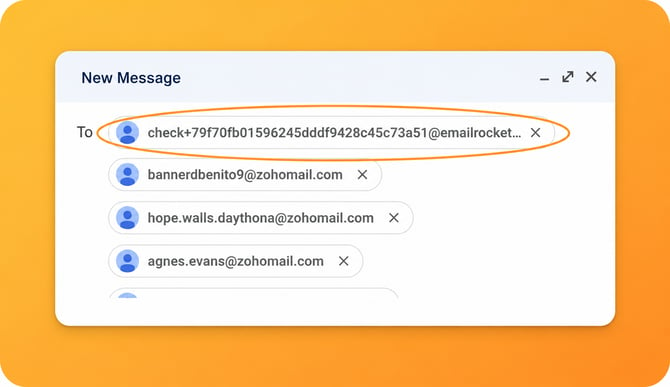
**Important:** Including the seed email address is **required**.
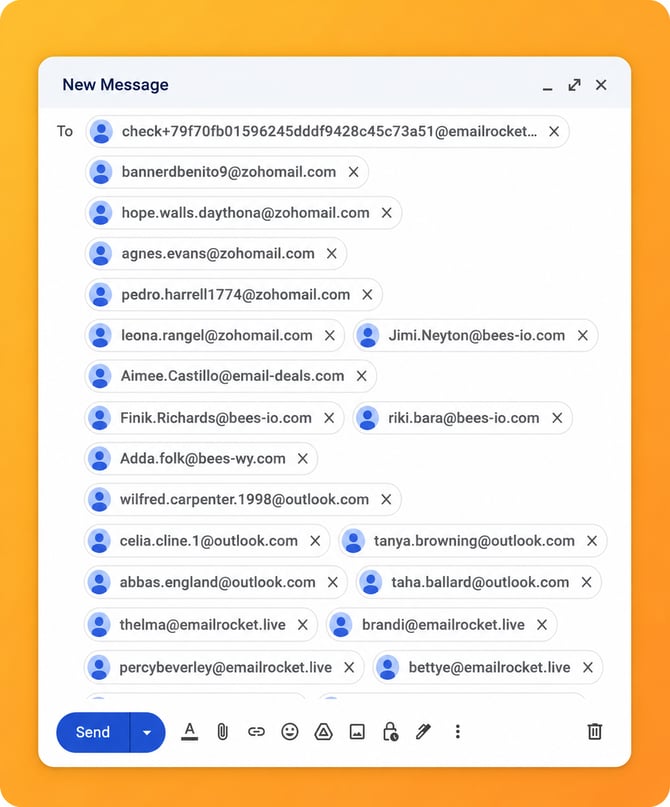
Always send it together with the rest of the recipient email addresses.
**Sending each email separately:** This is one of the most common mistakes and should always be avoided. If you send each email individually, the seed email address will not be included in the same email, making it impossible for us to locate and analyze your test results.
****
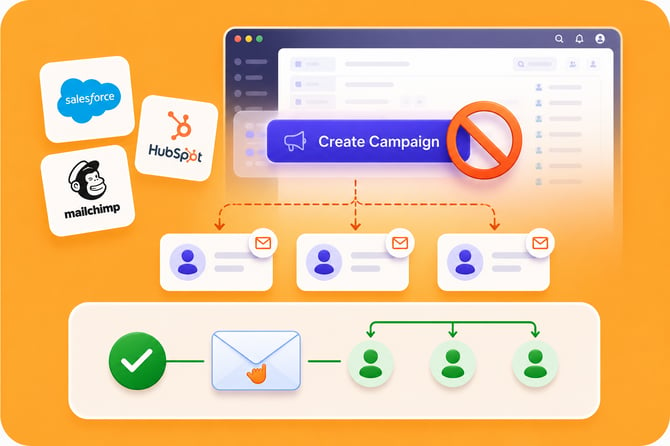
**Avoid creating campaigns on platforms:** For the same reason, avoid creating deliverability test campaigns through platforms such as **Salesforce, HubSpot, or Mailchimp**. These platforms typically send a separate email to each recipient instead of a single email to all recipients, which prevents the seed email address from being visible in the test and makes the results unavailable.
### 
### **Video Guide**
Watch the video below for a step-by-step walkthrough on how to perform the deliverability test correctly and ensure your results are accurate.
---
### Need help? [**Schedule a call with us!**](https://www.warmy.io/book-a-support-call)
- [Connection Guide](https://support.warmy.io/knowledge/connection-guide?hsLang=en)
- [General questions](https://support.warmy.io/knowledge/general-questions?hsLang=en)
- [Technical questions](https://support.warmy.io/knowledge/technical-questions?hsLang=en#main-content)
- [SPF and DKIM Configuration](https://support.warmy.io/knowledge/technical-questions?hsLang=en#spf-and-dkim-configuration)
- [Subscription](https://support.warmy.io/knowledge/subscription?hsLang=en)
- [Collaborate](https://support.warmy.io/knowledge/collaborate?hsLang=en)
- [Features](https://support.warmy.io/knowledge/features?hsLang=en)
- [Troubleshooting](https://support.warmy.io/knowledge/troubleshooting?hsLang=en#main-content)
- [SMTP Errors](https://support.warmy.io/knowledge/troubleshooting?hsLang=en#smtp-errors)
- [Service-related issues](https://support.warmy.io/knowledge/troubleshooting?hsLang=en#service-related-issues)
- [Integrations](https://support.warmy.io/knowledge/integrations?hsLang=en#main-content)
- [Seed List Automations](https://support.warmy.io/knowledge/integrations?hsLang=en#seed-list-automations)
[](https://www.warmy.io/)
warmy.io Help Center
Copyright © 2026, AnyBiz LTD