![Group 1261151152.png]](https://support.warmy.io/hs-fs/hubfs/Group%201261151152.png?height=50&name=Group%201261151152.png)
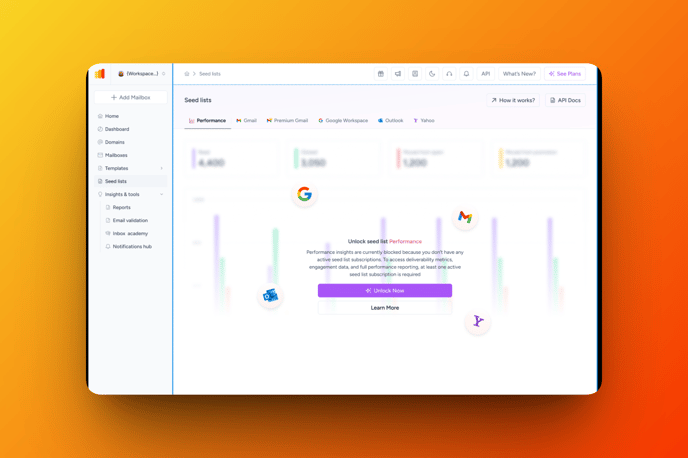
Seed List Performance helps you understand where your warm-up emails actually land — Inbox, Spam, or Promotions 📊
This section provides clear, real-time statistics from seed lists so you can track progress and spot issues early.
🔍 Why Seed List Performance matters
During email warm-up, sending emails is not enough — what matters is how mailbox providers treat them.
With Seed List Performance, you can:
-
See real feedback from providers like Gmail, Outlook, and Yahoo
-
Track warm-up progress over time
-
Understand if your sender reputation is improving
-
Identify potential issues without contacting support
📈 Performance overview
At the top of the page, you’ll see a bar chart showing performance trends over time.
It helps you quickly understand whether your warm-up metrics are improving, stable, or declining.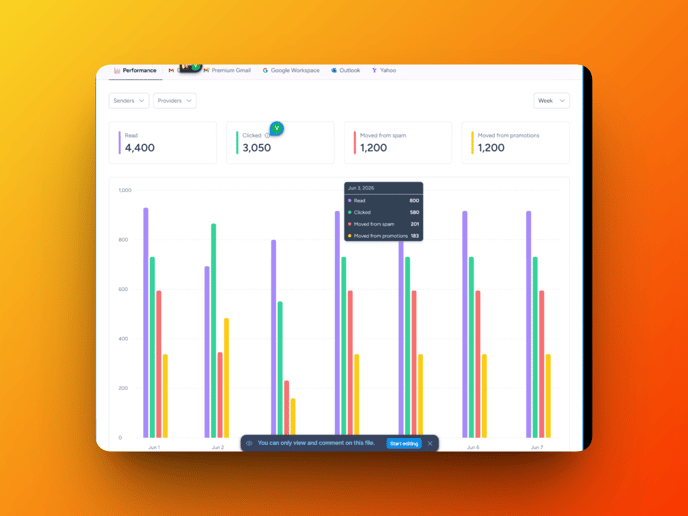
📊 Key metrics explained
Seed List Performance includes the following core metrics:
-
Read(Opens)
Indicates the number of emails that were read (opened) in the inbox folder. -
Number of Clicks(Clicked)
Number of link clicks inside emails.
A strong positive signal for mailbox providers. Click here to learn more!
-
Moved from Spam
Emails that were moved from Spam to Inbox.
A critical indicator of trust recovery. -
Moved from Promotions
Emails moved from Promotions to Primary Inbox (especially relevant for Gmail).
Signals improving message priority.
🧰 Filters and customization
You can adjust the data view using flexible filters:
📅 Period
Choose from Today, Yesterday, This Week (default), This Month, or This Year.
Short periods help detect sudden changes; longer ones show overall progress.
📬 Seed List Type
Filter results by provider (e.g., Gmail, Outlook, Yahoo) or view all combined.
Useful for identifying provider-specific deliverability issues.
👤 Senders
Select individual senders, multiple mailboxes, or use Select All for a full overview.
Pagination is available for workspaces with many senders.
All statistics update automatically after applying filters.
🧠 How to read the results
-
Increasing opens and clicks → warm-up is progressing correctly
-
Movement from Spam or Promotions → sender reputation is improving
-
Declining or flat metrics → review templates, sending limits, or domain setup, sender email address must match the one you send from
Seed List Performance shows actual mailbox behavior, not estimates.
✅ What you gain as a user
-
Clear visibility into warm-up performance
-
Faster issue detection without guesswork
-
Better control over sender reputation
-
Data-driven confidence before scaling email volume