![Group 1261151152.png]](https://support.warmy.io/hs-fs/hubfs/Group%201261151152.png?width=50&height=50&name=Group%201261151152.png)
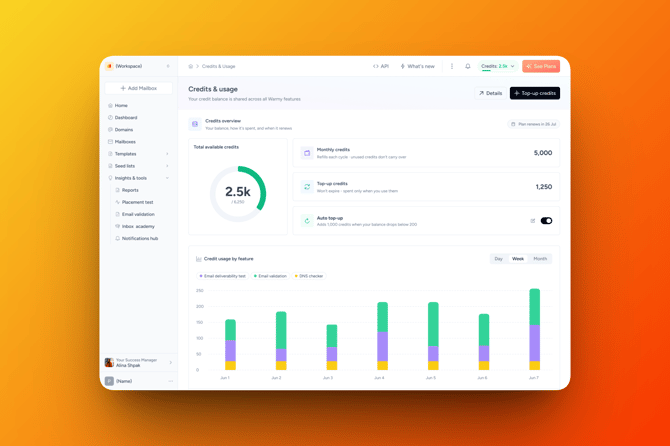
Warmy now uses a single, unified credit system that covers your usage of Email Validation, Email Deliverability Test, and DNS Checker. Instead of juggling separate limits for each feature, all of these draw from one shared credit balance, so it's much easier to see what you're using and where.
💳 Where your credits come from
You can have two types of credits in your account at the same time:
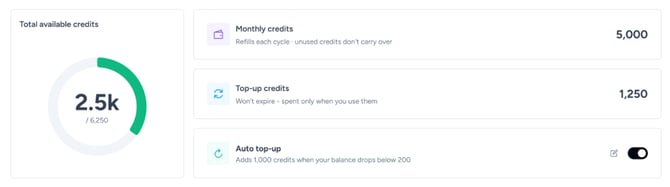
- Monthly credits — included with your active subscription. These refresh at the start of each billing cycle. Any unused monthly credits don't roll over, they simply reset with the new cycle.
- Top-up credits — purchased separately, on top of your subscription. These don't expire, they stay in your account and are only spent when you actually use a feature.
If you have both types available, Warmy always uses your monthly credits first, then dips into your top-up credits. This way, your top-up balance isn't spent unnecessarily while you still have monthly credits sitting there.
📊 Tracking your usage
You can see your full credit picture anytime from the Credits & Usage page:
- Total available credits — your combined balance (monthly + top-up).
- Credit usage by feature — a breakdown showing exactly how many credits each feature (Email Validation, Deliverability Test, DNS Checker) has used, how many times you've run it, and the cost per run, viewable by day, week, or month.
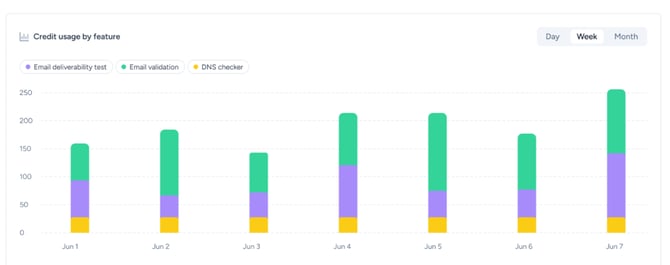
This makes it easy to spot which feature is using up your credits the fastest, and plan your usage or top-ups accordingly.
⚠️ Running low or out of credits
Warmy keeps you informed as your balance gets low, you'll get a notification at 80% used, another at 90% used, and a final one once you've fully reached your credit limit. You'll also see a banner right on the Credits & Usage page reminding you to top up before your checks pause.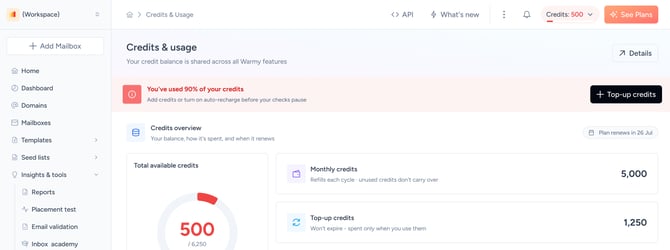
If you try to run a feature and don't have enough credits for it (for example, a Deliverability Test needs 15 credits but you only have 10 available), the feature simply won't run, and nothing is charged. You'll see exactly how many more credits you need, and can top up right from that same screen.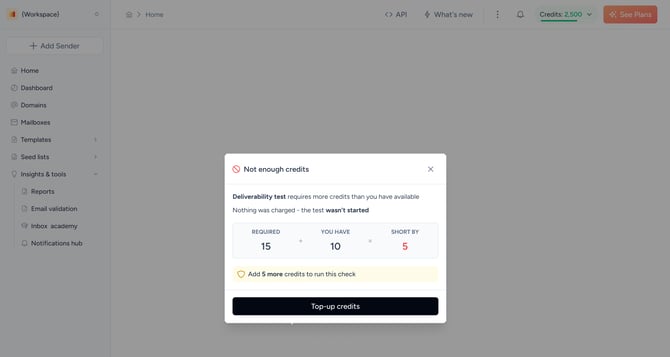
➕ Topping up credits
Need more credits beyond what's included in your subscription? You can purchase additional credits anytime from the Top-up credits button. These are one-time purchases, processed separately from your subscription billing, and the credits you buy never expire.
🔄 Auto top-up
If you'd rather not keep an eye on your balance manually, you can turn on Auto top-up. Once enabled, whenever your balance drops below a threshold you set, Warmy automatically purchases a set amount of additional credits using your saved payment method, so your checks never get interrupted. It's completely optional and off by default, you're always in control of whether it's on.
Since credits are shared across features, it's worth checking your usage breakdown from time to time, especially if you're running a lot of Email Validation, Deliverability Tests, or DNS checks in the same billing cycle.