![Group 1261151152.png]](https://support.warmy.io/hs-fs/hubfs/Group%201261151152.png?width=50&height=50&name=Group%201261151152.png)
 Prefer to listen? Hit play to hear this article read aloud.
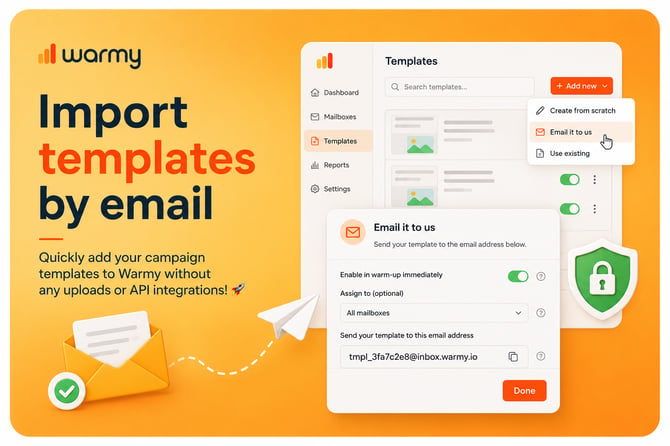
Warmy now lets you import email templates directly via email — a secure and transparent way to add real campaign emails(or any other) to the system that reflect true sending behavior.
How it works:
-
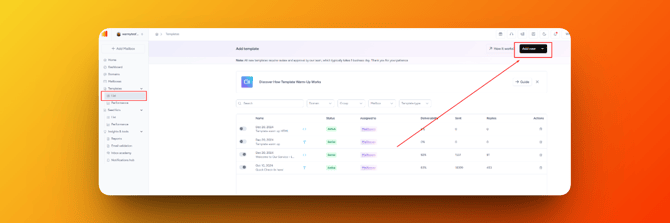
In the Templates tab, select “Add new” and click on "Email it to us"
-
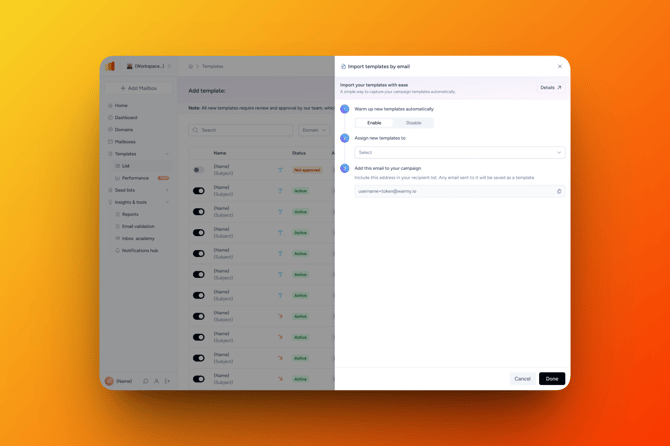
A pop-up window will appear where you can see the following:
-
Enable or disable the template in warm-up immediately after adding ✅
-
Optional: choose which mailbox, group or domain to assign the template to 📧
-
Email address (appears automatically) to which you should send your template ✉️
-
-
Copy this address and click Done. Then send your template to it (HTML or Plain Text).
-
Once sent, the template will appear in the Templates tab (after some delay), where you can manage it just like any other template:
-
assign it to different mailboxes, groups, or domains
-
enable/disable it in warm-up
-
edit the template
-
Important notes:
-
We can receive only one template at a time. If you want to add multiple templates, a new send is required for each.
-
Sending new templates to the same email address will retain the settings you configured the first time — no need to set them up again.
-
Both HTML and Plain Text templates are supported.
- Once sent by email, the template will appear in the Templates tab after a short delay.
💡 With this feature, you get a fast, transparent, and safe way to add templates without any API or file uploads — fully reflecting your real sending behavior.