


 Prefer to listen? Hit play to hear this article read aloud.
How do I sign up for a trial account?
You can sign up here with just your email address and a few details about your company.
How long does the trial last?
The trial lasts for 7 days.
Do you need my credit card information?
No, you can sign up for free without entering any credit card details.
How many mailboxes can I connect?
Only one mailbox can be connected during the trial.
Does the trial account give me access to all Warmy features?
Yes, your trial account includes access to Warmy's full suite of basic features, allowing you to send up to 50 of our unique seed emails daily using one sender profile.
How do I get product support?
Common questions are answered in the Warmy Help Center. We also recommend scheduling a product walk-through call and onboarding session. Or, just use the chat widget on our website to reach us anytime, or email us at hi@warmy.io.
How do I upgrade to a paid plan?
To purchase a subscription, you can upgrade directly within your Warmy account.
Getting Started with Your 7-Day Trial
The trial period for Warmy lasts 7 days and begins as soon as you register for an account. During this time, you can connect one mailbox and send/receive 15-50 emails per day. This will give you access to all of Warmy's core features, allowing you to evaluate how it can help improve your email reputation. By the end of the trial, you'll have a better understanding of how Warmy works and which subscription plan best fits your needs.
To get started, simply connect your mailbox 💌
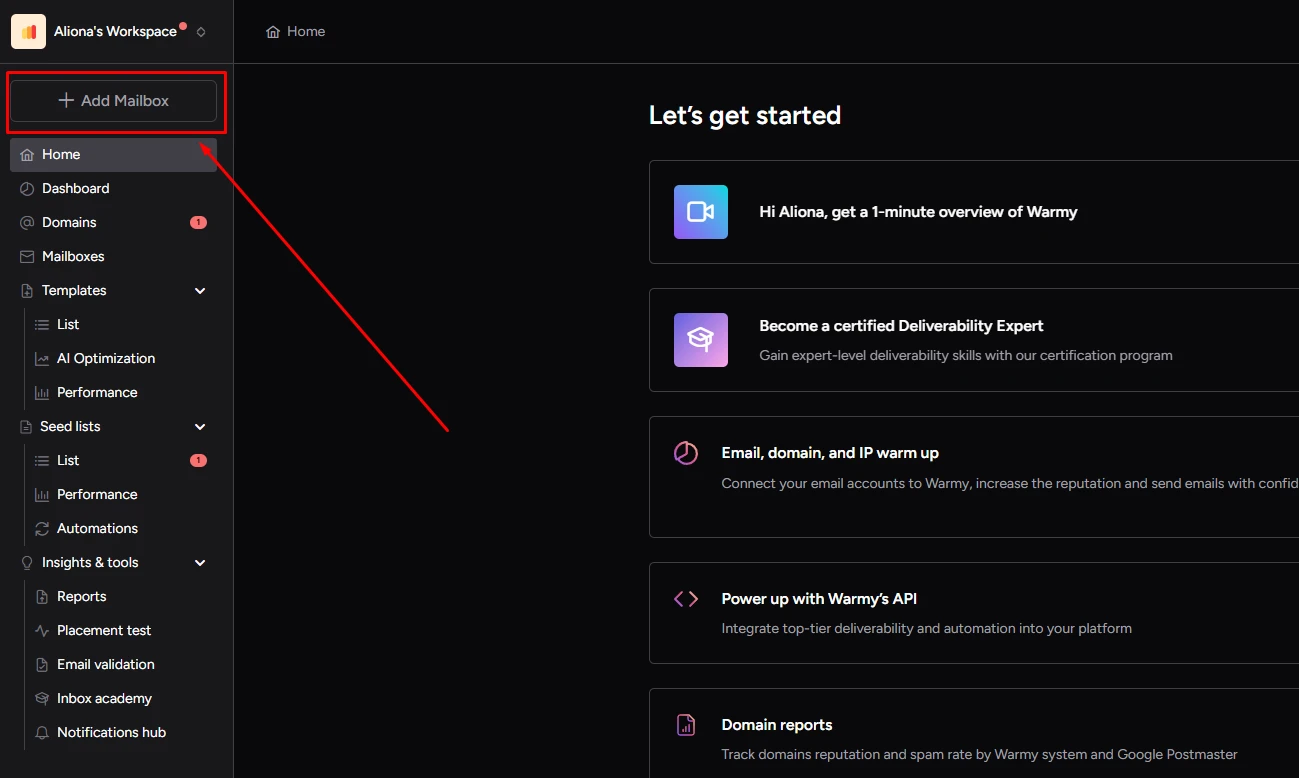
Do not forget to read the instructions for connecting the mailbox beforehand, they will help you. If you still have questions, you can always write to us or schedule a call, and our support team will be happy to help you with any issue 🌟
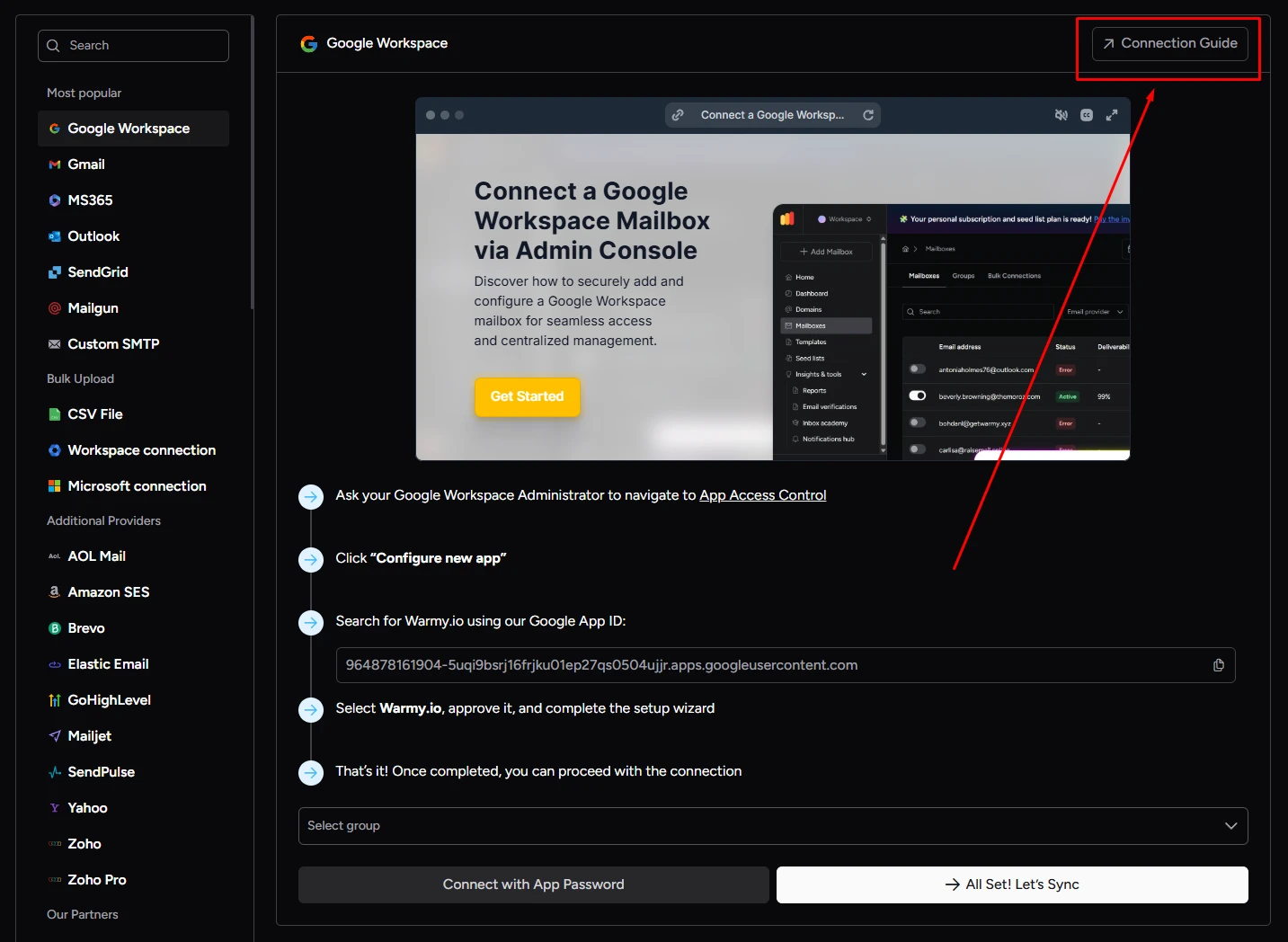
Once your mailbox is connected the warm-up process will begin automatically 🔥
Your mailbox will start sending and receiving unique generated emails. We will also auto-archive incoming emails (after some delay), extract emails from spam/promo, read them, mark them as important, and communicate in threads with our real users 👨👨👦👦
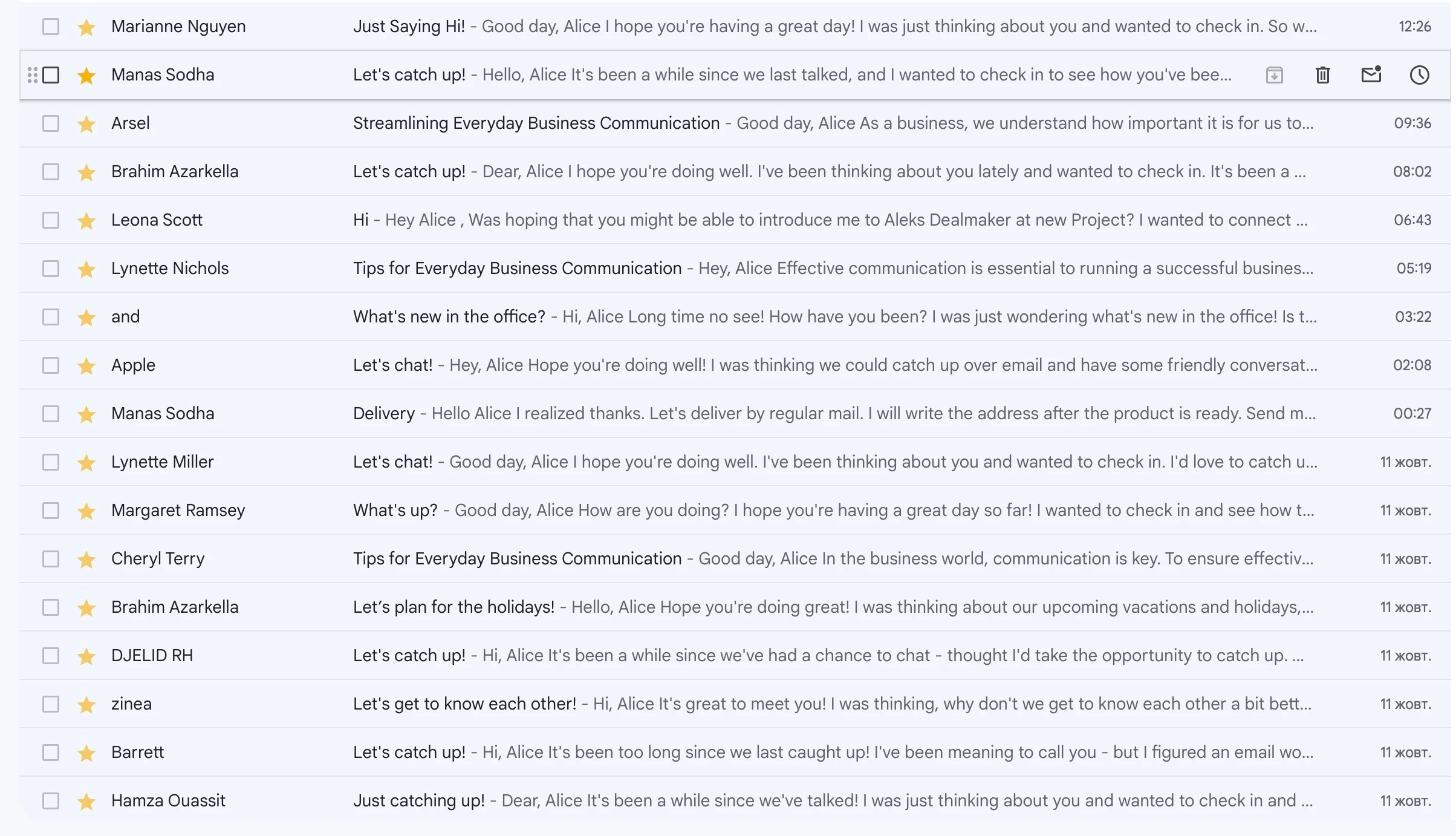

All this is completely automatic and simulates the actual use of the mailbox as if you were doing it yourself. And all thanks to our complex algorithms and artificial intelligence 🦾
🔍 Your Dashboard & Mailbox stats
By heading to the Dashboard, you'll get a full overview of your warm-up performance, domain health scores, DNS records, GPM data, etc., all in one place 🧭 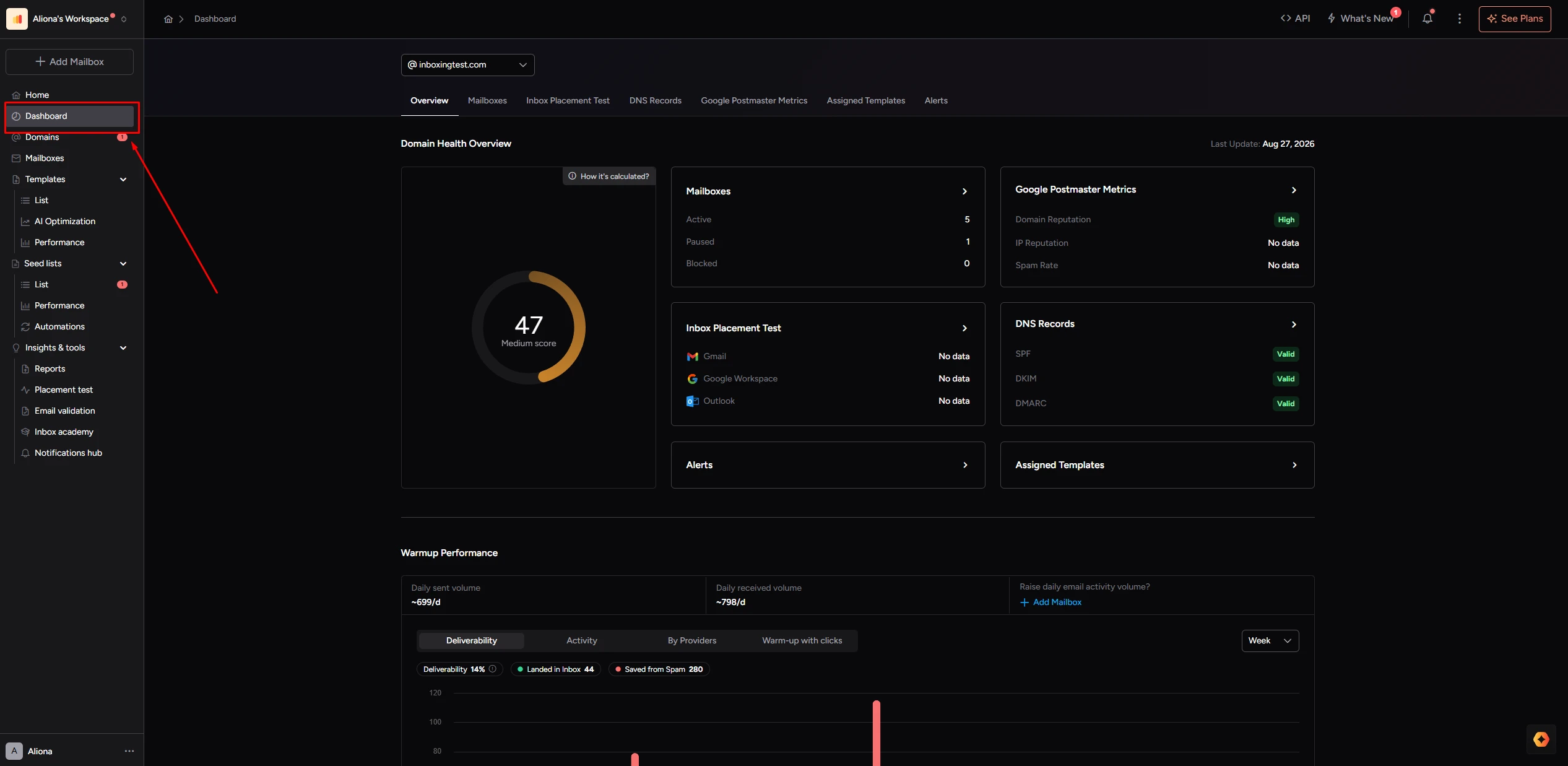
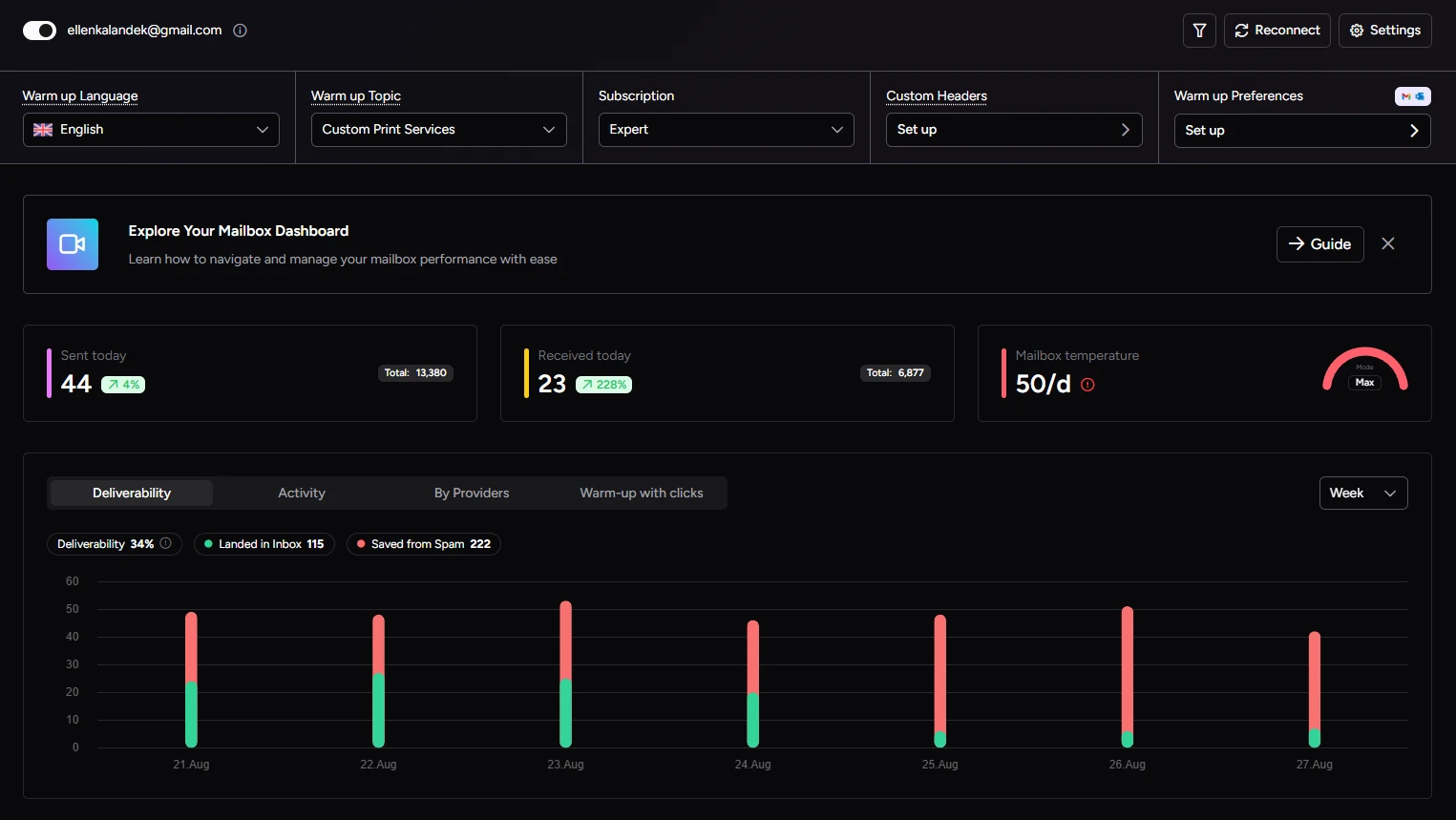
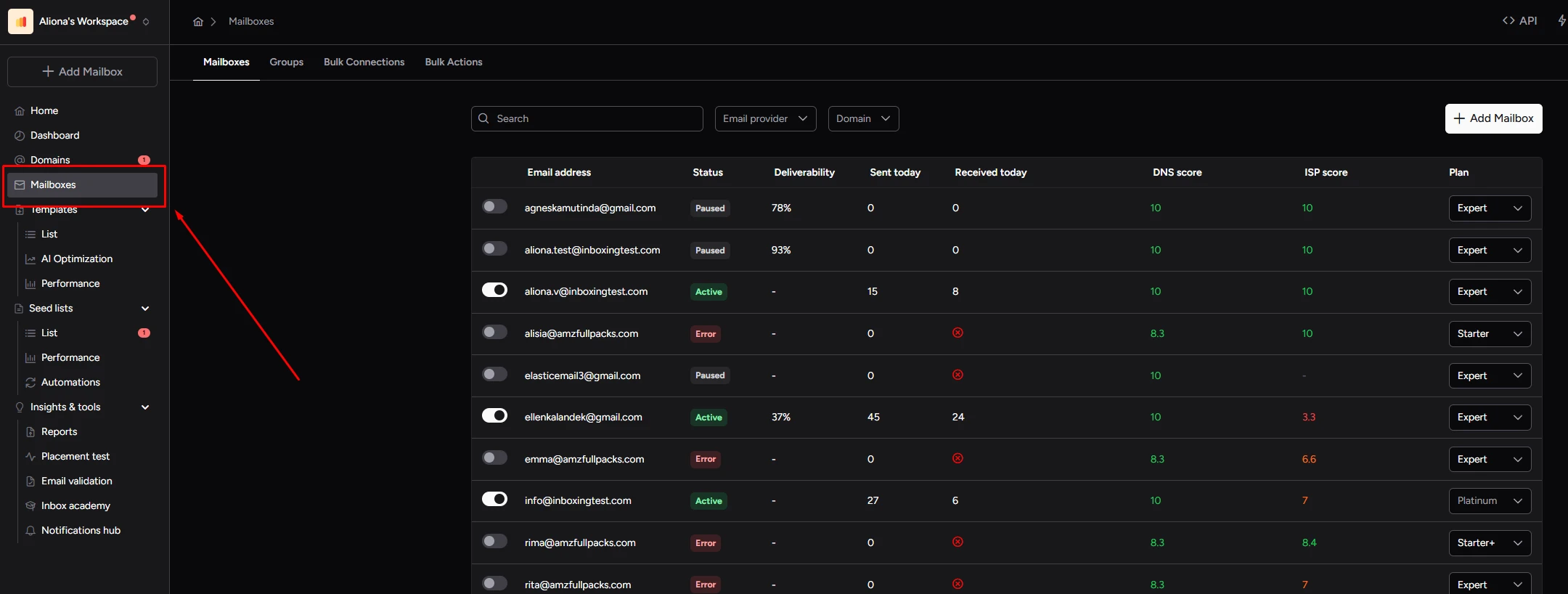
In the Mailboxes tab, you can dive into a specific mailbox and see all the useful details at a glance, sent and received emails, deliverability, current temperature, and related graphs 📈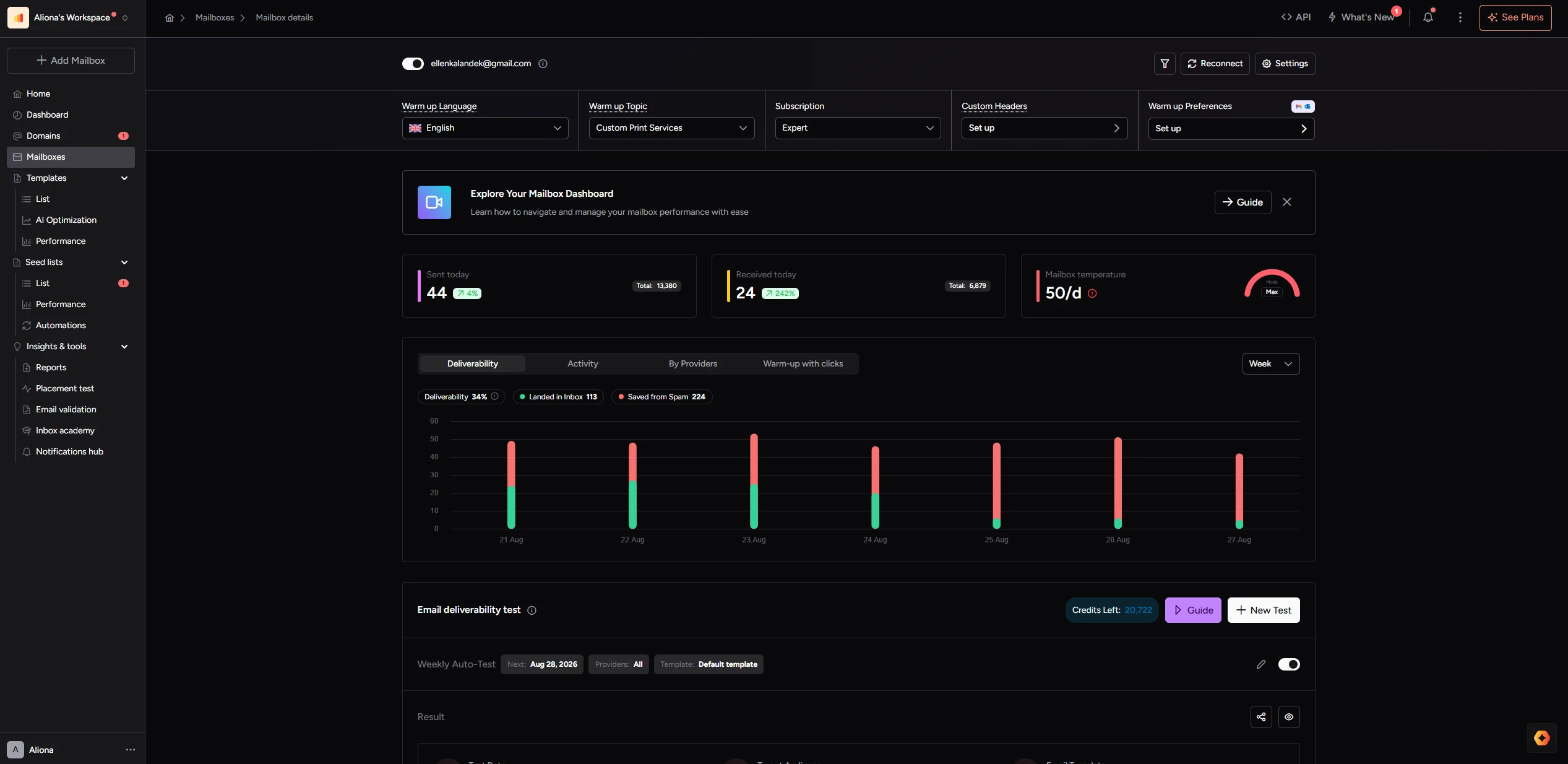
During the 7-day trial of Warmy, you can explore the following features:
🔥 Email warmup
Warmy will warm up your connected mailbox by sending and receiving unique generated emails. This helps to improve your email deliverability and reputation. During your 7-day trial, you can only add one mailbox, and Warmy will send and receive up to 15-50 emails per day from that mailbox. You may also adjust the warm up preferences.
🌡️ Set warm-up temperature
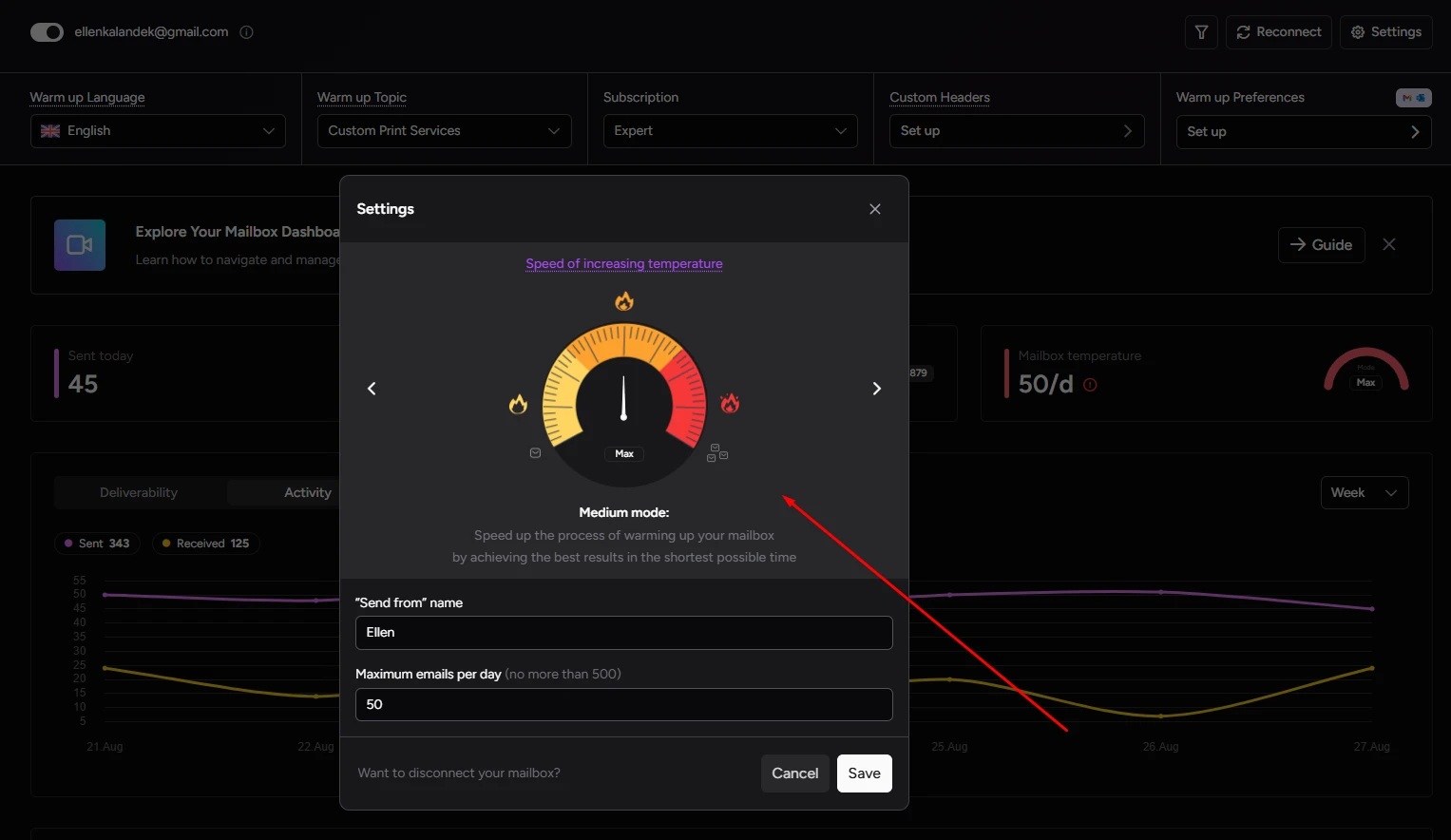
During your 7-day Warmy trial, you can try different warm-up modes to see what works best for you. Warmy offers 3 modes: slow, medium, and fast. You can also adjust the number of emails sent each day to match your own specific needs. Learn more: What is temperature and how do I set it?
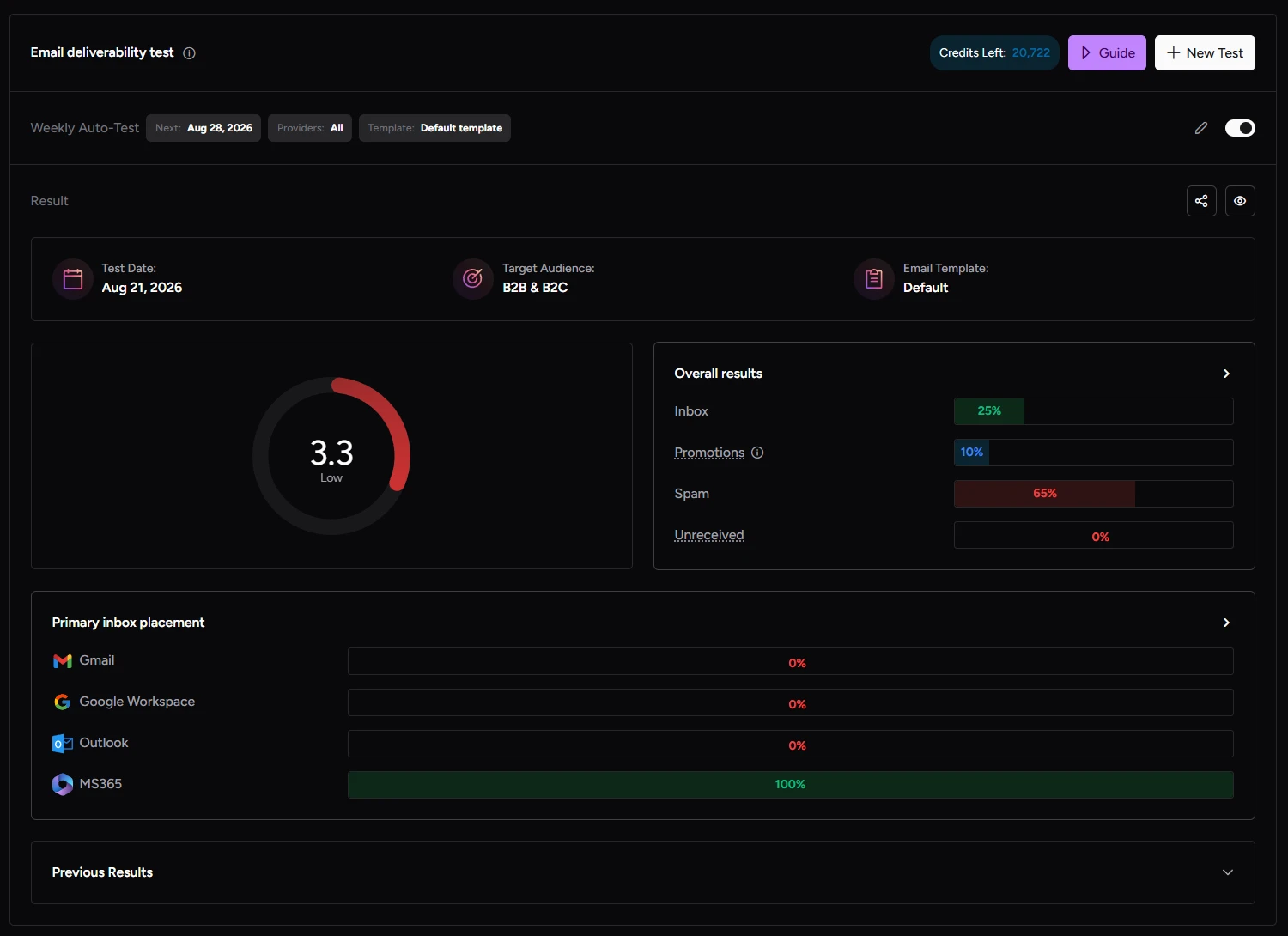
📬 Email Deliverability test
An email deliverability test is a process of sending test emails to different email providers to see if the emails are delivered to the inbox. This is important because it can help you identify any problems with your email-sending process or email content that may be causing your emails to be marked as spam or sent to the junk folder. To learn more about email deliverability tests, please read our article: Email deliverability test.
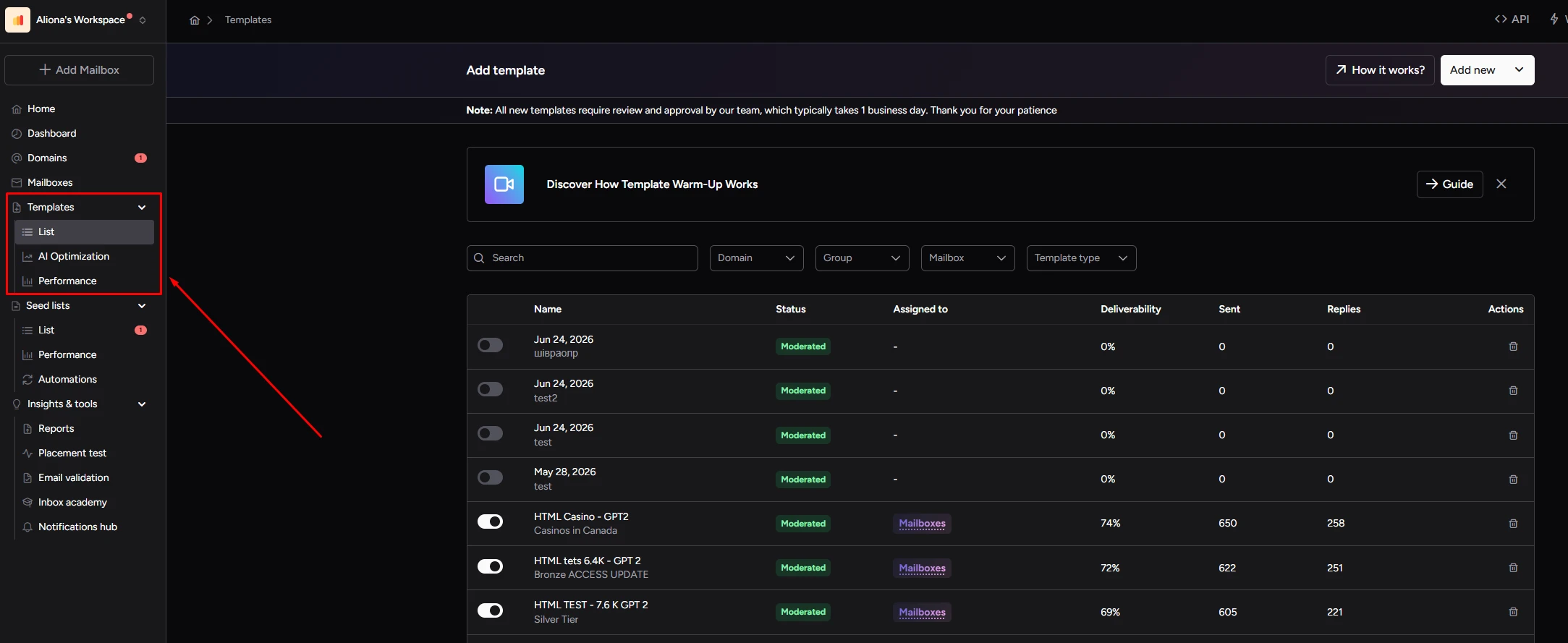
✍️ Template warm-up
Warmy can help you warm up your email templates by sending them as part of a warm-up process. This can help to improve the deliverability of your templates and ensure that they are well-written and likely to be delivered to the inbox. Learn more: Template Warm-up
📊 Mailbox statistics
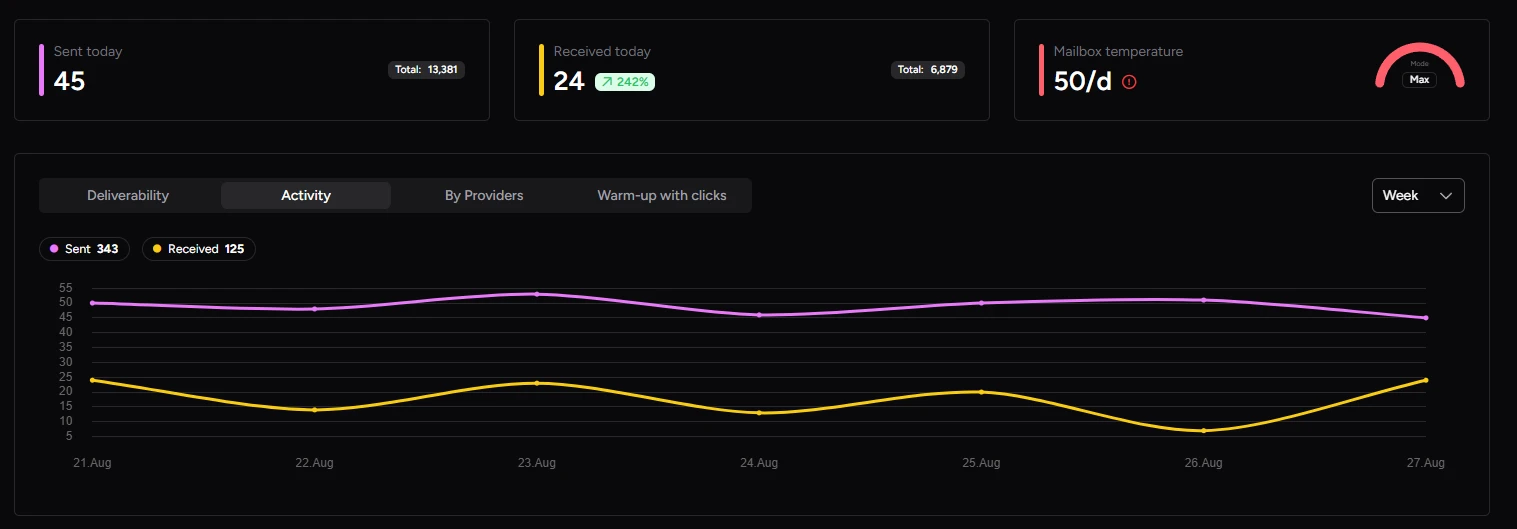
Warmy provides you with detailed statistics about your mailbox warm-up process. This information can help you track your progress and identify any areas where you may need to improve.
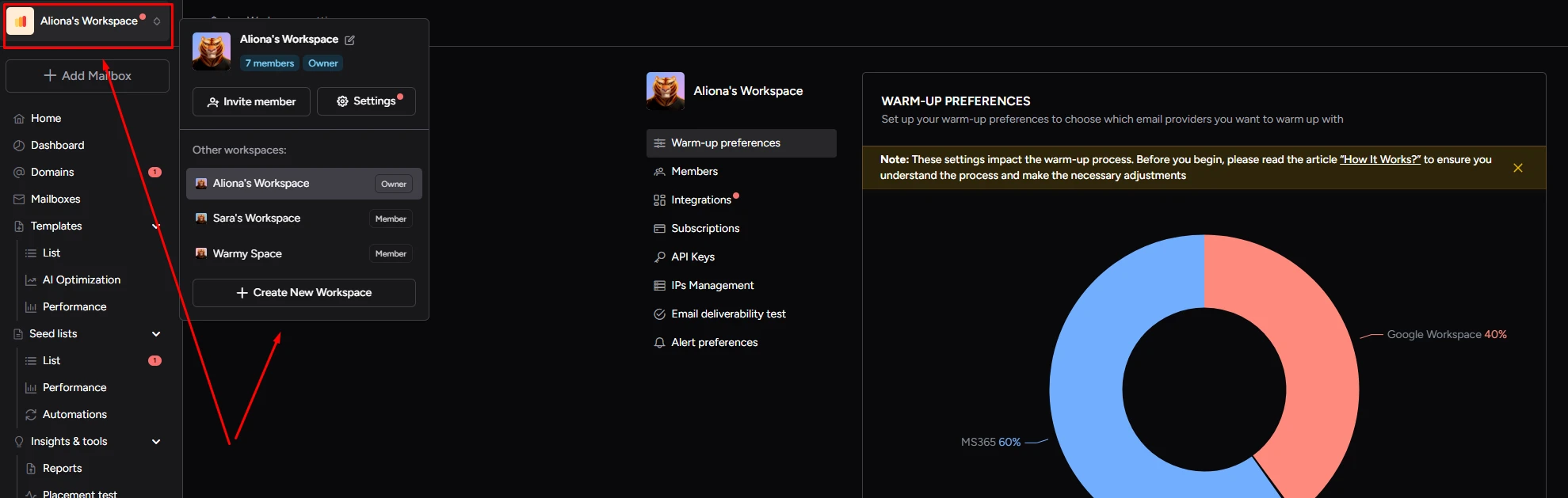
👥 Workspaces
Warmy Workspaces let you bring your whole team into the platform, invite members for free, organize access, and manage everything from one place. You can create multiple workspaces and control who has access to what through owner and member roles.
Congratulations! Now you have become an experienced Warmy user 🎉✨
Your 7-day trial will give you access to all of Warmy's main features, so you can experience the full power of Warmy for yourself. After your trial ends, you'll need to upgrade to continue using Warmy, but we promise it's worth it! 🌟💖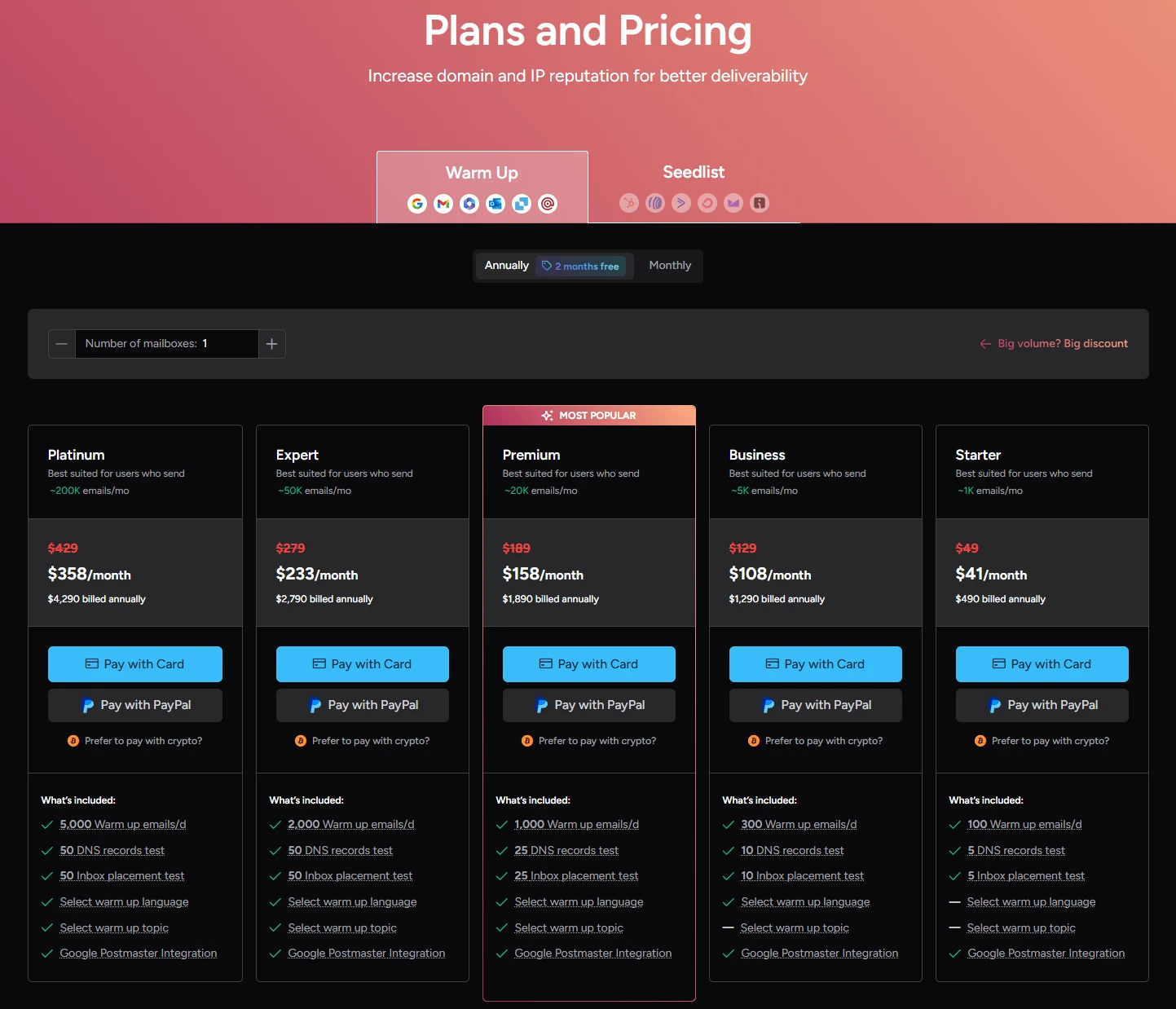
If you need assistance in choosing the right plan for your needs or if you're looking for a customized plan tailored to your specific requirements, don't hesitate to schedule a call with our team. We're here to help you every step of the way. Your success is our priority! 📞🤝🌟